Skip to content

What documents does Google want for a suspension appeal?
 Gianluca Catinella, Director, Ad Restore LtdPublished on 11 min read
Organizations may be required to provide 2 different types of documentation for advertiser verification: organization registration documents and a government-issued photo ID from an authorized representative.
From Google’s document requirements for advertiser verification in the United Kingdom, checked on 21 September 2026. Google publishes no separate document list for suspension appeals; this is the closest statement of what it accepts, and we prepare to it.
The documents Google wants are narrower than most people expect: proof of who you are, proof that the business exists, and proof that you control what you advertise. In practice that means government-issued photo ID for an authorised representative, plus business registration records, evidence tying the company to its trading address, domain ownership and, where you advertise someone else’s services, a contract with that provider. Every detail has to match the account: legal name, address, payments profile.
Google defines an authorised representative as an admin of the Google Ads account and/or the payments profile paying for the ads. The paperwork can’t belong to a relative or to anyone else who merely helps run the advertising. A document that can’t be read is ignored; expired documents and name mismatches fail for a different reason, which Google names.
Checked against Google’s help pages between 21 September and 2 October 2026. Google changes them without notice, so check the linked page before relying on a detail.
At a glance
Photo ID of an admin
An admin of the Google Ads account or of the payments profile paying for the ads.
The exact business
Registration for the entity named on the account, not a related one.
Everything matches
Google asks for details that exactly match your payments profile.
Originals, in colour
Google says the image shouldn’t be a photocopy or a screenshot.
Three named failures
A name mismatch, expired documents, or documents missing key information.
On this page12 sections
What counts as an appeal document
An appeal document is any record proving a fact Google has stopped taking on trust: that a named person stands behind the account, that a registered business does too, that the address on the landing page is real, and that you may advertise what the site sells. Screenshots and photocopies don’t count.
A protest that you’ve done nothing wrong isn’t evidence either. As our director puts it, you can’t go to a judge, say “I’m innocent”, and be believed straight away. Google’s own advice for appeals is to include any relevant information and an explanation of why you believe the suspension is incorrect.
What Google publishes, and what it doesn’t
Google publishes document requirements for advertiser verification, country by country. It publishes no equivalent list for suspension appeals, so the verification list is the closest published statement of what Google will accept from a document. The United Kingdom page asks that the details exactly match your payments profile info, including the organisation name, and says “The image should not be a photocopy nor a screenshot”.
On why submissions fail, Google’s advertiser verification page names problems with the documents, “such as a mismatch between the provided organisation name and the documents, expired documents or documents missing key information”. Mismatch, expiry and missing information are the three failure modes Google names.
What works, and what won’t
Appeal documents: what works and what won’t
| What’s needed | What works | What won’t work |
|---|---|---|
| Identity | Current photo ID of an authorised representative: an admin of the account or payments profile | ID of a spouse, parent, child or grandparent, or of anyone who isn’t an admin on the account or payments profile |
| The business | Registration for the exact entity named on the account | A related but differently named entity, or any registration that doesn’t match the account name |
| Address | The company address matching the landing page, and consistent with the account settings | An address that appears nowhere on the site, or a move the account never reflected |
| Domain | Registrar evidence of control over every domain in the account | Silence about a domain still attached that you no longer own |
| Third-party services | A signed agreement with the provider whose services you promote | An implied or historic relationship with nothing in writing |
| Legibility | Colour, clear, well lit, unexpired: an original image, not a photocopy or a screenshot | Black-and-white, dark or blurred images, photocopies, screenshots, anything an automated reader can’t read |
That last row is no formality. In our experience an unreadable document is ignored rather than queried, and the appeal goes ahead without it. A decision returned within about ten minutes reads as automated; within 24 hours it can be a human, and most appeals reach a human within five days. That’s our observation, not published Google process.
The account owner problem
One failure has nothing to do with paperwork quality: the person running the account isn’t the person who owns it. Accounts are often set up by someone else, such as a relative, or a previous owner the account was bought from. Google’s definition of an authorised representative is an admin of the Google Ads account or the payments profile. We hold to something stricter: the documents have to belong to the actual owner of the account. Not the son, not the wife, not the daughter, not the grandpa.
Where an account was bought, inherited or taken over, say so and evidence it: the relationship has to be accounted for. If you can’t get into the account at all, see suspension help without account access.
What Google cross-references
Google says it reviews information from a variety of sources, including ads, accounts, websites, content, user complaints, consumer reviews, regulatory warnings and rulings, and other third-party sources. Your documents are read against all of that, not on their own.
In our experience, documents are checked against the public company register, the business address, the domain registration and any privacy protection on it, and the payment method: where that card has been used across Google, and whether it has appeared in another account. Google itself links accounts by payment method; it gives accounts using the same email or payment method as an example of accounts related to a suspended one. All of it has to agree before the appeal is written.
Building the pack
Check whose account it is.
Identify the admin of the Google Ads account and of the payments profile. Their ID is the one that counts.
Pull the company records.
Registration for the exact entity named on the account and the payments profile. UK companies are on the public register at Companies House.
Match the address.
The trading address on the documents, the landing page and the account settings must be the same.
Prove the domain.
Registrar evidence for every domain in the account, including any that are still attached but no longer used.
Add contracts for anything you don’t own.
If you advertise another company’s services, the signed agreement that allows it materially strengthens the case.
Scan properly.
Colour, clear, well lit, unexpired originals. No photocopies, no screenshots.
Collect more than the minimum.
A second attempt moves faster when the material is already to hand.
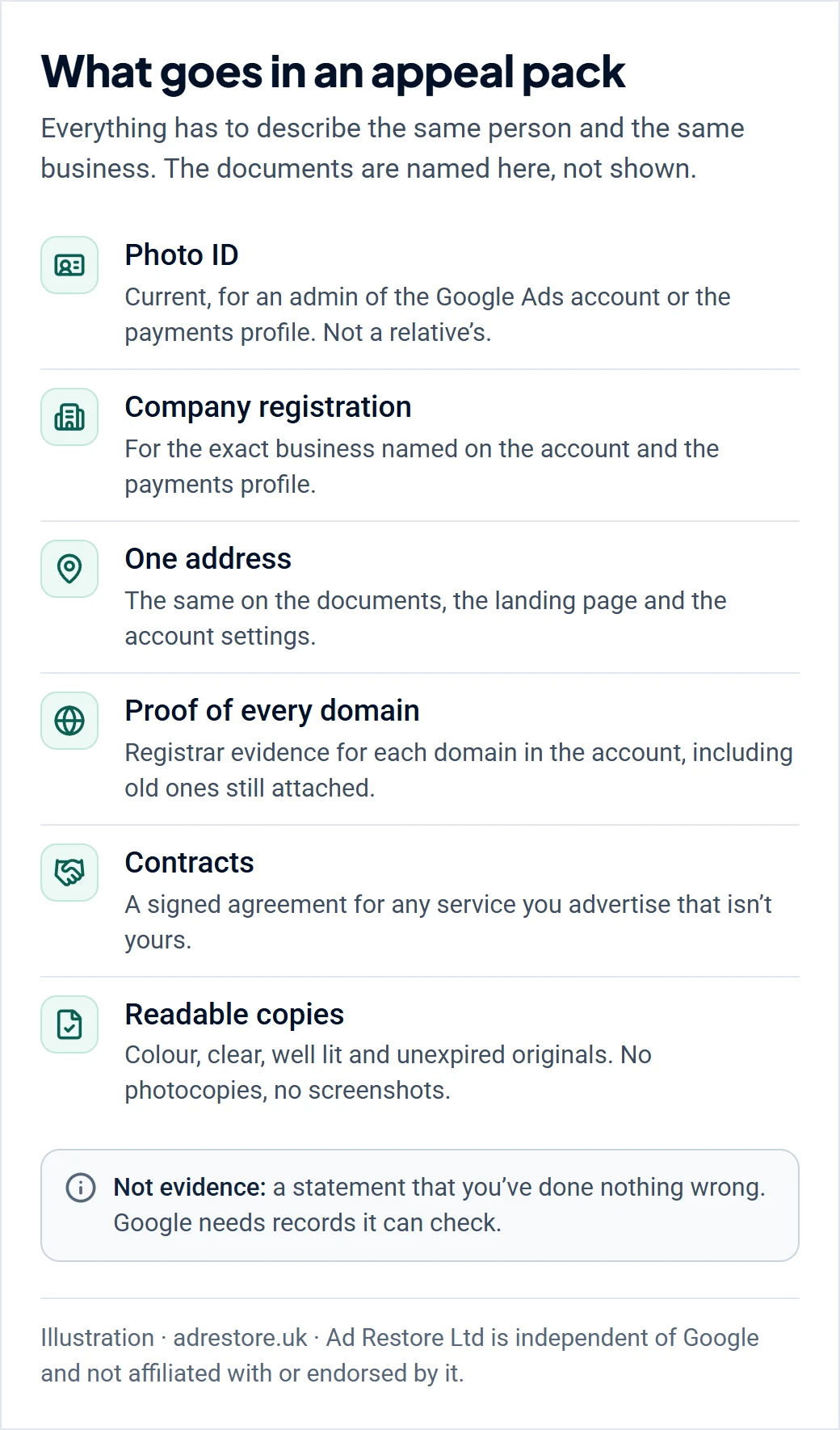
How the pack goes in depends on the form Google gives you. In our experience, the formal Circumventing Systems and Unacceptable Business Practices appeal forms come in two kinds: one with only a text box, and a full form where the documents attach at the end, next to the summary box. Our guide to the appeal form covers how to attach documents and evidence, including Google’s 60-minute evidence form for ad-level appeals.
What we can’t produce for you
This is a hard limit, stated before we take a case. We can’t produce your identification, your domain registration evidence, or technical proof of your infrastructure. Nor your company documentation, with one exception: UK companies sit on the public register at Companies House, and we can pull what’s published there. Clients outside the UK have to supply their company records themselves. These documents come from the account owner, because that ownership is the fact under examination.
We hold an agency manager account. It isn’t a route you lack. The same appeal form is open to every advertiser, filed from your own account: Google tells you to select the Contact us link in the notification. A manager account changes where a submission comes from, not what it’s worth. Ad Restore Ltd is independent of Google and has no special channel into it.
While you gather documents, the audit runs
Account access can take one to five days to come through, and from then we assess it in full: landing page, content, business model, keywords, what changed before the suspension, which ads are disapproved, the policy cited, and where trust broke. Don’t phone Google repeatedly meanwhile: in our experience that’s a different support team from the one deciding your appeal, so repeated calls don’t move it. That’s our observation, not published process.
We stay with the account after reinstatement as well, for 14 days, included in every service: see 14 days of post-reinstatement support.
If the first appeal is pushed back
A rejection doesn’t end the case, and what follows is taken case by case. If an appeal we filed is pushed back, we reassess what worked and what didn’t: what further documentation may now be needed (payslips, contracts, agreements) and what changes the site itself needs, so that when the page is crawled and the documents are scanned, the two agree. That’s the point of a second submission: not the first one repeated with more insistence, but the gap the first one exposed, closed.
We tend to resolve on the first or second appeal; it’s rarely, if ever, the third. If Google has replied that you can re-appeal with new information, see what to do after a rejected appeal.
When documents won’t save the account
Some cases can’t be won with paperwork, and we say so rather than run them. We turn down cases we don’t believe can be won, and if we decline after payment, you get a full refund. These are the situations that come up most often:
- No access to a domain the account advertises. If the account moved domains and you can’t prove you still own the old one that’s attached, there’s no case.
- One account advertising many unrelated domains. Agencies running separate client accounts is normal. One account advertising many unrelated domains isn’t typical of a Google Ads account: every domain has to be accounted for, and it takes considerably more work to get the suspension lifted.
- Advertising a business that isn’t yours, with no agreement. Documents about your own company don’t answer that.
- Financial services advertised without the verification Google requires. Until that verification is in place, no document set makes the account compliant.
- Unpaid Google billing. Settle any balance owed to Google before the appeal is filed, rather than arguing about it. No document replaces paying the bill.
- No access to the technical side of your own website, so nothing can be made to agree.
- A tracking URL Google has classed as phishing.
- Gambling, pornography and sexual content, which we don’t take.
Hard cases (multiple suspensions, accounts to consolidate, a wall of disapproved ads) get honest expectations rather than a refusal. Our guide to when a suspension can’t be fixed covers the rest.
Don’t route around a suspension with a new account.
Where recovery genuinely isn’t possible, resolve the suspension rather than going round it. Google’s Circumventing Systems policy names creating new accounts to re-enter the system after a suspension as a violation, and Google says any new accounts that the advertiser tries to create may also be suspended.
Frequently asked questions
What documents does Google ask for in a suspension appeal?
Google publishes no document list for suspension appeals. Its advertiser verification rules are the closest guide: for organisations, registration documents and a government-issued photo ID from an authorised representative, with details that exactly match the payments profile. Depending on the case, evidence of your address, domain ownership and any contract with a provider you advertise also matter.
Can I use my husband’s, wife’s or parent’s ID?
Only if they’re an admin of the Google Ads account or of the payments profile paying for the ads: that’s how Google defines an authorised representative. In our experience, the documents should belong to the actual owner of the account.
Can I send a screenshot or a photocopy?
No. Google’s document requirements say the image shouldn’t be a photocopy or a screenshot. Send clear, well-lit colour images of original, unexpired documents.
Does the address on my documents have to match my website?
In our experience, yes. The company address should match the address on your landing page and your account settings. Google asks for details that exactly match your payments profile.
Why did Google reject my documents?
Google names three problems: a mismatch between the organisation name and the documents, expired documents, and documents missing key information. In our experience, unreadable scans are simply ignored.
Can you get my documents for me?
No. We can’t produce your ID, domain evidence or company records. The one exception is UK company information already published at Companies House, which we can pull.