Circumventing Systems: Cloaking – the Google Ads Cloaking Policy and Why Legitimate Sites Get Flagged

Circumventing systems: Cloaking
The heading of the cloaking section of Google’s Circumventing systems policy, which opens: “Cloaking isn’t allowed under the circumventing systems policy.” The suspension email names the policy and, sometimes, the section of it. Searches reaching this site show the account banner pasted as “your account is suspended your account violated the circumventing systems: cloaking policy.”
A “Circumventing systems: Cloaking” suspension means Google concluded, under its Google Ads cloaking policy, that the page it reviewed was not the page your customers see. Google treats that as an egregious violation and suspends the account without warning: accounts are suspended upon detection and without prior warning. In the Circumventing Systems cases we handle, cloaking findings against genuine businesses rarely trace back to anything deliberate. They trace back to infrastructure: security settings that challenge Google’s crawler, an ad URL that redirects, or a pop-up that hides the page.
If your notice names the Circumventing Systems policy without mentioning cloaking, start with our Circumventing Systems policy guide, which covers the whole policy. This article covers what Google counts as cloaking and the examples it gives, what it explicitly allows, how it differs from cloaking in Google Search, the technical causes we see most often, and the evidence a Google Ads cloaking appeal needs.
Checked against Google’s help pages on 3 October 2026, and the Search comparison on 9 October 2026. Google changes them without notice, so check the linked page before relying on a detail.
At a glance
One offer for everyone
Small variations are fine, but the promoted product or service has to be the same for Google and for people.
No warning first
Circumventing systems is on Google’s egregious list, so the suspension lands on detection.
Usually infrastructure, in our experience
Bot protection, an ad URL that redirects or a pop-up, rarely anything deliberate.
Evidence, not assurances
An appeal shows the cause, the dated fix and the result.
No new account
Google names creating new accounts to re-enter the system as a breach of the same policy.
On this page13 sections
What Google counts as cloaking: the policy’s examples
Google’s definition: “‘Cloaking’ refers to showing different content on your website to different people or to Google to try to hide things that might break Google Ads’ rules.” Its examples, which it describes as non-exhaustive, are:
- Showing Google a compliant landing page while showing people different content. Google’s own illustration: “showing sale of clothing to Google when the website sells guns”.
- A pop-up, or “intrusive interstitial”, that blocks access to the majority of your website, so Google can’t reach the page it is meant to review.
- Promoting one topic and sending people to a site about something else, while hiding that from Google’s crawlers.
- Sending users to a different site that breaks Google’s policies, even on the same domain.
- Using click trackers to redirect people to content Google prohibits.
Every example turns on a gap between what Google’s systems were shown and what a person was shown. That gap is what an appeal has to close.
What Google explicitly allows
Varying a page is not cloaking in itself. Google says it is fine to show slightly different content to different people, such as different languages, different special offers, or adjustments for location and slower connections, provided that “the promoted product or service needs to be the same for everyone”.
Redirects are allowed too. “Using appropriate click trackers and redirecting users is okay”, Google says, as long as they aren’t hiding a policy problem, and it recommends using a click tracker that is certified by Google.
So the question is never whether your page varies. It is whether what Google’s systems received and what a customer received promote the same thing, and whether Google could load it at all.
Is the Google Ads cloaking policy the same as cloaking in Google Search?
Same word, different rule, different penalty. Google Search’s spam policies define cloaking as “presenting different content to users and search engines” with the intent to manipulate search rankings and mislead users. The Google Ads policy is about advertising: showing different content to people or to Google “to try to hide things that might break Google Ads’ rules”.
- The consequences differ. In Search, Google says sites that violate its policies may rank lower or not appear at all. In Google Ads, Circumventing systems is egregious, so the whole ad account is suspended on detection.
- Gated content is treated differently. Search says a paywall isn’t cloaking if Google can see the full content of what’s behind the paywall and the site follows its Flexible Sampling guidance. The Ads policy names a pop-up that blocks access to the majority of your website’s content as cloaking, because Google can’t review the page behind it.
- Hacked sites appear in both. Search says it’s not uncommon for the hacker to use cloaking to make a hack harder for the site owner to detect; the Ads policy warns that cloaking content can be added without you knowing.
For a Google Ads suspension, the appeal has to deal with what Google’s ad systems saw, which is why the checks below load each page the way Google’s ad crawler does.
The notice is a starting point, not a diagnosis
The suspension email names the policy and, sometimes, the section of it. Google says the email “will identify all policies” the account was suspended for. It doesn’t name the page, the ad or the setting.
The first email typically gives you a hint as to what it is, but it’s not the same as having the account analysed properly. Google doesn’t give clear reasoning about what is actually wrong, and an account can be flagged for something the email isn’t covering. I’ve unsuspended accounts with two suspensions on them. At that point you know something deeper is wrong, and it has to be analysed thoroughly.
Gianluca CatinellaDirector, Ad Restore LtdThat matches how Google describes its own process. In deciding whether an advertiser is breaking this policy, “Google may review information from multiple sources”, including the ad, the website, the accounts and third-party sources. The label in the email is the conclusion. The evidence behind it isn’t in the email.
Why legitimate sites get flagged for cloaking
Can Cloudflare or a CDN cause a cloaking suspension?
Yes, and it is one of the most common causes we see. Content delivery networks and security layers such as Cloudflare exist to stop bots. Set too aggressively, they stop Google’s ad crawler as well, serving it a challenge page, a block or an error while every human visitor sees the normal site. From Google’s side, that is exactly the pattern the policy describes: one thing shown to Google, another shown to people.
Google’s best practice for this policy is to make sure Google can easily find all the pages on your website. In practice, the landing pages in your ads have to load for Google’s crawlers without a challenge in the way. Google’s help on blocked destinations names the usual culprits: when a site works for you but not for Google Ads, your server’s security settings, firewalls or content management system plugins might be blocking the automated crawl system.
The ad points at a URL that redirects
This one looks trivial and isn’t. If the final URL in an ad is missing its trailing slash, uses www. when the site lives on the bare domain (or the reverse), or starts http:// instead of https://, the server answers with a redirect before it serves the page. We have seen a suspension arise from ads pointing at a URL that returned a 301 redirect, with nothing else wrong on the account. Every final URL, sitelink and asset URL should resolve directly to the live page.
Our main Google Ads Circumventing Systems policy guide goes further into longer redirect chains and tracking templates.
Pop-ups and interstitials
A newsletter pop-up, a cookie wall or an age gate that covers the page can stop Google reaching the content it is supposed to review, and Google names this as a cloaking example. If a pop-up is genuinely needed, it shouldn’t stop the page underneath from being read.
A site that has been compromised
Not every cloaking finding is the site owner’s doing. Google notes that “websites can get hacked and cloaking content can be added without you knowing”, and points to its Safe Browsing tool as a first check. A compromised plugin that redirects some visitors is cloaking as far as Google is concerned. If it was the Google Ads account itself that someone else got into, see our guide to unauthorised access attempts or activity in your account. If the crawler simply can’t reach the page, or reaches a different one, that’s a disapproval rather than cloaking: see destination not working and destination mismatch.
Which platforms does this happen on?
Any of them: WordPress, Shopify, landing-page builders. The platform is rarely the cause. What matters is what sits in front of it, whether that is a CDN, a firewall, a security plugin or a redirect rule. A well-built Shopify store behind an over-restrictive bot setting can look like cloaking to Google; the same store without it won’t.
Google’s own list of what blocks its ad crawler is about those layers, not platforms: server-side configurations that prevent Google AdsBot from accessing the landing page, security settings, firewalls and plugins. Its fix is a setting, not a rebuild: “reach out to your web developer to allowlist the AdsBot-Google and AdsBot-Google-Mobile user agents” and ensure the site is accessible globally.
Two details from Google’s crawler documentation explain how a site can block the ad crawler without anyone noticing:
- Robots rules. AdsBot ignores the global robots.txt user agent (the
*group), so a rule that names AdsBot is the one that applies to it. - Allowlists. Google’s special-case crawlers, AdsBot among them, operate from a different IP range than the common crawlers. A firewall rule written only for Google’s common crawlers, such as Googlebot, doesn’t cover the ad crawler. Google also warns that the user agent string can be spoofed, which is why security tools treat it with caution.
In our experience, that is usually what it is: the protection and security on the hosting are set too tight, so the bots can’t crawl the site, and someone from IT has to correct it, or the owner does it themselves.
What to do, in order
Read the notice and the email.
Note which policy, and which section of it, Google names. If it says cloaking, this article applies; if it only says Circumventing Systems, start with our policy guide.
List every URL your ads use.
Final URLs, sitelinks, asset URLs and any tracking template. Each one should resolve directly to the live page, with no redirect in between.
Load each one as Google’s ad crawler would.
Google’s help shows how to override the user agent in Chrome’s developer tools so you can mimic the Google AdsBot web crawler used to review destination URLs. Look for a challenge page, a block, an error or a different page.
Fix what sits in front of the site.
Bot protection, firewall and security-plugin rules that stop AdsBot; redirecting URLs; pop-ups that cover the page. Check the site with Google’s Safe Browsing tool in case it has been compromised.
Write down what changed, and when.
Dated notes and before-and-after captures are what the appeal will rest on.
Then appeal, once.
Google says submitting one appeal at a time ensures a timely response, and it may not process too many appeals for the same suspension.
How do you prove to Google that a site isn’t cloaking?
With technical evidence, not assurances. Google’s own appeal tip for this policy asks advertisers to share the steps you took to make sure cloaking isn’t happening on the website, such as removing redirections or getting certified to advertise restricted content. Its suspensions overview adds: for cloaking violations, “let us know why you were showing different content to Google than to other users”. An appeal worth submitting shows three things:
- The cause, identified. Which setting, rule or URL produced the difference Google saw.
- The fix, dated. What was changed and when: the bot rule adjusted so Google’s crawlers get through, the redirect removed, the ad URLs corrected.
- The result. Every URL in the account now resolves directly and serves Google the same page a customer sees.
Before an appeal goes in, we assess the entire page and the technical back end, so that nothing is left that enforcement could read as cloaking. The first appeal is the one that matters. Our guide to what the Google Ads suspension appeal form actually asks explains how that submission is structured.
How long a cloaking appeal takes

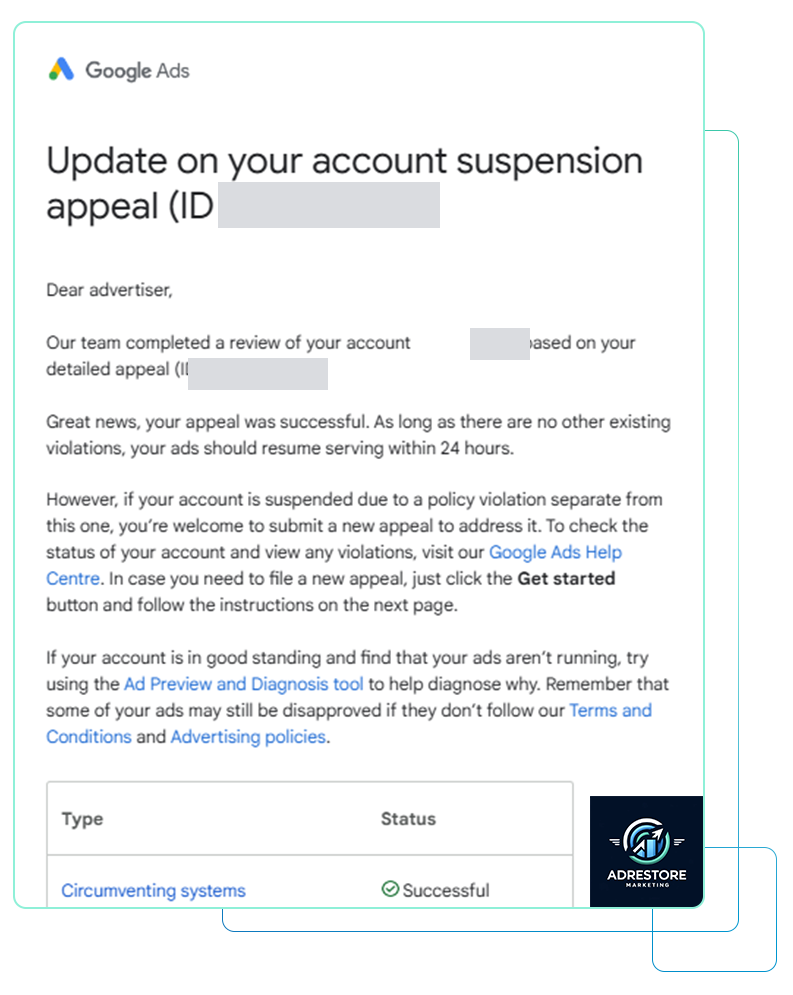
In the Circumventing Systems appeals we have handled, a decision has usually come back within five business days, and occasionally within a day. The spread depends on who looks at it. Google says it uses a combination of Google’s AI and human evaluation to enforce its policies, and in our experience an appeal picked up by automated review can come back quickly, while one routed to a person takes longer. The appeal form Google gives you for the suspension affects this as well. There is more on timings in how long a Google Ads reinstatement takes.
Whichever route it takes, Google’s bar doesn’t move: accounts are only reinstated in compelling circumstances, which is why the evidence has to be complete the first time.
Can it be fixed?
Often, when the cause is a setting rather than an intention. Google says accounts are reinstated in compelling circumstances, such as in the case of a mistake, and a crawler blocked by bot protection or a redirecting ad URL is the kind of thing an appeal can explain and evidence. We have helped dozens of advertisers through Circumventing Systems, most of them reinstated. Some of them describe the experience on our testimonials page.
The cases we can’t win are the ones our service page is upfront about: if an account really was arranged to get round Google’s review, no appeal can change that. We tell you on the free call, and we never help open another account. None of this is a promise: only Google decides.
Don’t open a new Google Ads account to get round this.
After a previous suspension decision, Google lists creating new accounts to re-enter the system as a violation of this same Circumventing Systems policy. Its suspensions overview adds that any new accounts that the advertiser tries to create may also be suspended. Read why a new account makes things worse.
The appeal route
- Where to appeal. In your Google Ads account, select the Contact Us link in the notification at the top of your screen; it opens the appeal form.
- One at a time. While an appeal is being processed, the account shows “Appeal pending”. Google may not process too many appeals for the same suspension.
- If Google asks you to verify. Some advertisers must complete advertiser verification before they can appeal, and Google limits failed verification attempts, so get the details right first: see Circumventing Systems and advertiser verification.
- If it’s rejected. “If your appeal is rejected, you can re-appeal”, but a re-appeal needs something new to show.
Before you write it, read what the appeal form asks and why appeals get rejected. For the other routes into this policy, see evasive ad content and advertiser verification.

Frequently asked questions
Can Cloudflare or a CDN cause a Google Ads cloaking suspension?
Yes. Security and bot-protection settings that are too restrictive can serve Google’s ad crawler a challenge page, a block or an error while people see the normal site. That is the pattern Google’s cloaking policy describes: different content shown to Google and to people. Google’s best practice is to make sure it can easily find all the pages on your website, and its help on blocked destinations says to allowlist the AdsBot-Google and AdsBot-Google-Mobile user agents.
How do you prove to Google that a site isn’t cloaking?
With technical evidence rather than assurances: identify the setting, redirect or URL that caused the difference, show what was changed and when, and show that every URL in the account now resolves directly and serves Google the same page a customer sees. Google’s own appeal tip asks advertisers to share the steps they took to make sure cloaking isn’t happening, such as removing redirections.
Is the Google Ads cloaking policy the same as cloaking in Google Search?
No. Google Search’s spam policies define cloaking as presenting different content to users and search engines to manipulate rankings, and a site that breaks them may rank lower or drop out of results. The Google Ads policy covers showing different content to people or to Google to hide things that might break Google Ads’ rules, and because Circumventing systems is egregious, the ad account is suspended on detection.
Is showing different languages or offers to different visitors cloaking?
Not in itself. Google says it’s okay to show slightly different content to different people, such as different languages, special offers, or adjustments for location or slower connections, but the promoted product or service needs to be the same for everyone.
Can a hacked website cause a cloaking suspension?
Yes. Google notes that websites can get hacked and cloaking content can be added without you knowing, and suggests its Safe Browsing tool as a first check. A compromised plugin that redirects some visitors is cloaking as far as Google is concerned.
Why was there no warning before the suspension?
Google treats Circumventing Systems as egregious: accounts are suspended upon detection and without prior warning. For repeat violations of other policies, Google sends a warning at least 7 days before a suspension.
How long does a cloaking appeal take?
In the Circumventing Systems appeals we have handled, a decision has usually come back within five business days, and occasionally within a day. Google’s suspensions overview gives no timescale for appeals. More in our guide to reinstatement timescales.