Skip to content

Google Business Profile reinstatement request: how to appeal, the form, and your appeal status
 Gianluca Catinella, Director, Ad Restore LtdPublished on 12 min read
You can request an additional review if your original appeal for reinstatement was denied
The opening line of Google’s form “Request additional review of a denied appeal”, the form its help page links to for a denied reinstatement request. Read on 23 October 2026.
A Google Business Profile reinstatement request is, in Google’s own steps, an appeal. Google says it may suspend or disable Business Profiles that don’t follow its guidelines, and that if you believe your profile should be reinstated, you can submit an appeal. That appeal goes in through Google’s Business Profile appeals tool. Google does have a form for this, but it comes second: its Request additional review of a denied appeal form is only for appeals that have already been turned down.
Google’s pages use both words. Its help page talks about a reinstatement request being denied, and asks anyone who manages more than 10 profiles whether they’re requesting bulk reinstatement. This guide takes the request in order: getting ready, filing the appeal, reading the status, and what to do if it comes back Not approved. For what the suspension notice means and what triggers it, read our guide to a suspended Business Profile.
Checked against Google’s Business Profile help pages and its additional review form on 23 October 2026. Google changes them without notice, so check the linked page before relying on a detail.
At a glance
Appeals tool first
Your first reinstatement request is an appeal in Google’s Business Profile appeals tool. Google says appeals can only be submitted once.
Evidence ready before you start
Google lists business registration, a licence, tax certificates and utility bills, with the name and address matching the profile.
Up to five working days
Google’s figure for appeal reviews and decisions.
The form is for a denied appeal
Google’s additional review form only takes requests after your appeal in the tool has been denied.
The location has to be real
In our experience, cases built on a virtual office or a PO box fail, because the location doesn’t match.
On this page10 sections
Request, appeal or form: which route is yours
Google has three routes, and the one you need depends on what’s been restricted:
- Your profile is suspended or disabled. Appeal in the appeals tool. This is your reinstatement request.
- Your appeal came back Not approved. Google says that only if your reinstatement request is denied, it may be able to do an additional review, through its additional review form.
- Your Google Account is restricted. Google says a restriction means the Business Profiles that you manage are suspended and you won’t be able to create or claim other profiles. You appeal the account on your My accounts page first, and the profile once the restriction is lifted.
Google also says appeals are handled differently for businesses in the UK or the European Economic Area (EEA). For a suspended profile, though, its own table sends businesses everywhere to the same appeals tool. The difference is for rejected edits and restricted media: businesses in the UK and EEA appeal those in the tool too, while businesses elsewhere use Google’s Contact us form.
Before you appeal: fix the profile, then gather the evidence
Google’s first instruction is to make sure that your profile follows all the guidelines. Its appeals page also says to check your verification status before you submit.
Then gather your evidence. Google calls it optional, and lists the evidence that can help strengthen your appeal:
- official business registration;
- a business licence;
- tax certificates;
- utility bills for the business, such as electricity, phone, water or internet.
Google’s tip is to check that the business name and address match the profile you’re appealing for. Its appeals page recommends that you prepare the documents before submitting an appeal.
Get both a registration document and a utility bill ready now, even though the appeals tool doesn’t insist on either. If the appeal is denied, Google’s additional review form asks for both, showing the same business name and address.
Check the address before anything else
Google’s rules on location are strict:
- A virtual office, where your business rents a postal address but doesn’t operate from it, “isn’t eligible for a Business Profile”.
- A service-area business can’t list a ‘virtual’ office unless it’s staffed during opening hours.
- PO boxes or mailboxes at remote locations aren’t acceptable, and Google says merchants who set their address at a PO Box will have their profile suspended.
- If Google decides your business doesn’t exist in the location you claim, it disables the profile.
In our experience, Business Profile cases built on a virtual office or a PO box fail, because the location doesn’t match. No wording in an appeal changes where the business really is.
How to appeal in the appeals tool
Google’s steps for a suspended or disabled profile, in order:
Open the appeals tool and sign in.
Go to Google’s Business Profile appeals tool and sign in with the Google Account related to the profile. If you’re signed in with another account, select Switch account.
Choose the profile, then the decision.
Google says the tool shows details about the decision: the date of the initial decision, the reason, a link to the policy, whether the decision can be appealed, and its status.
Add your evidence and your explanation.
Confirm and submit.
Tick the box confirming you’re ready and that all your optional evidence is attached, then select Submit appeal. Google says appeals can only be submitted once, so check everything first.
Wait for Google’s email.
Google says it will send you an email with the appeal decision, and that appeal reviews and decisions can take up to five working days. Don’t submit multiple appeals for the same issue while you wait.
Google’s two help pages describe the evidence step differently. Its page on suspended profiles has you attach files before you submit, as above. Its appeals page says you’re prompted to add evidence to a linked form after you submit, and that “You must submit the evidence within 60 minutes of submitting your appeal”. Follow what your screen shows, and have the documents ready before you start, so neither version catches you out.
More than 10 profiles? If you manage more than 10, the tool asks whether you’re requesting bulk reinstatement for 10 or more suspended locations. If you are, you attach a spreadsheet with each suspended location’s Business Profile ID and any supporting documents. Google asks that the business name and address on each document exactly match your registration.
What your appeal status means
To check, open the appeals tool, signed in with the Google Account related to the profile, and select the profile. Google says you’ll find the status of the appeal on the right. It lists five: Submitted, Approved, Not approved, Can’t be appealed and Eligible for appeal. Google doesn’t define each one, so below is what its pages say around them, and what to do next.
Eligible for appeal
As the label says, the decision can be appealed. This is where you start. Fix the profile and get the documents together first: Google says appeals can only be submitted once.
Submitted
Your appeal is in. Google says reviews and decisions can take up to five working days, and not to send another appeal for the same issue before you get a decision. Its appeals page adds that you shouldn’t create a new Business Profile for the same business while your appeal is under review. Don’t delete the profile either: Google says content and appeals may be rejected when the profile is deleted before Google reviews them.
Approved
The profile comes back. When Google reinstates a removed profile, its help page says it reinstates both the profile and its owner and managers. When our own appeal was approved, Google’s email said the changes could take up to 24 hours. If something is still wrong once the profile is back, Google’s page points you to Business Profile Help if you have issues with your reinstated profile.
Not approved
The appeal was denied. You can’t send it again in the tool, but Google offers one more step: an additional review, through a separate form. It’s covered in the next section.
Can’t be appealed
Google’s help pages list this status but don’t explain it. In our experience, it has shown after too many appeals had been filed. Google gives no published next step for it: its additional review form is only for appeals that were denied. That’s one more reason to file one complete appeal and wait for the decision, as Google asks.
Is it your Google Account that’s restricted? You appeal that on your My accounts page, and Google says you can find and track the status of your appeal there as well.
Appealed more than 10 profiles at once? Google says the status will only change for the profile that you selected in the tool, and that you’ll get one email notification with an appeal decision, for that profile.
If your appeal is Not approved: the additional review form
Google says that only if your reinstatement request is denied, it may be able to do an additional review, and that you can provide additional evidence that wasn’t added with your original appeal. Its help page links to the form for this: Request additional review of a denied appeal. The form won’t take your request until you’ve appealed in the appeals tool and that appeal has been denied.
The form asks for:
- the date the profile was suspended or disabled;
- the official email address used to manage the profile;
- your Business Profile ID, which Google calls the unique identifier for your listing on Google, under Business Profile settings, then Advanced settings;
- a business registration or licence (official registration, licence or tax certificates) showing the business name and address that match the listing;
- a utility bill showing the same business name and address as that registration, licence or tax certificate;
- context: why you believe it should be reinstated, and any action you’ve taken on the listing.
The form also asks you to avoid sending sensitive business documents. Once you submit it, its confirmation reads “Reinstatement request received”, and says you won’t get an email confirmation: Google’s team will contact you once it has reviewed your appeal for reinstatement. The form gives no timescale.
If your business is in an EEA member state or territory, Google says you can refer your appeal to an out-of-court dispute settlement body. Its page on those bodies adds that Google is not bound by any decisions they make.
Our own appeal: Not approved, then reinstated
We’ve been through this ourselves. Google suspended Ad Restore Ltd’s own Business Profile in October 2024, the month the company was incorporated. Our first appeal came back Not approved. The profile was reinstated after we contacted Google through our manager account and put together a proper appeal, with a genuine utility bill in Ad Restore Ltd’s name and the company’s documents. We saved Google’s approval email on 27 October 2024, and the full story is in our case study.
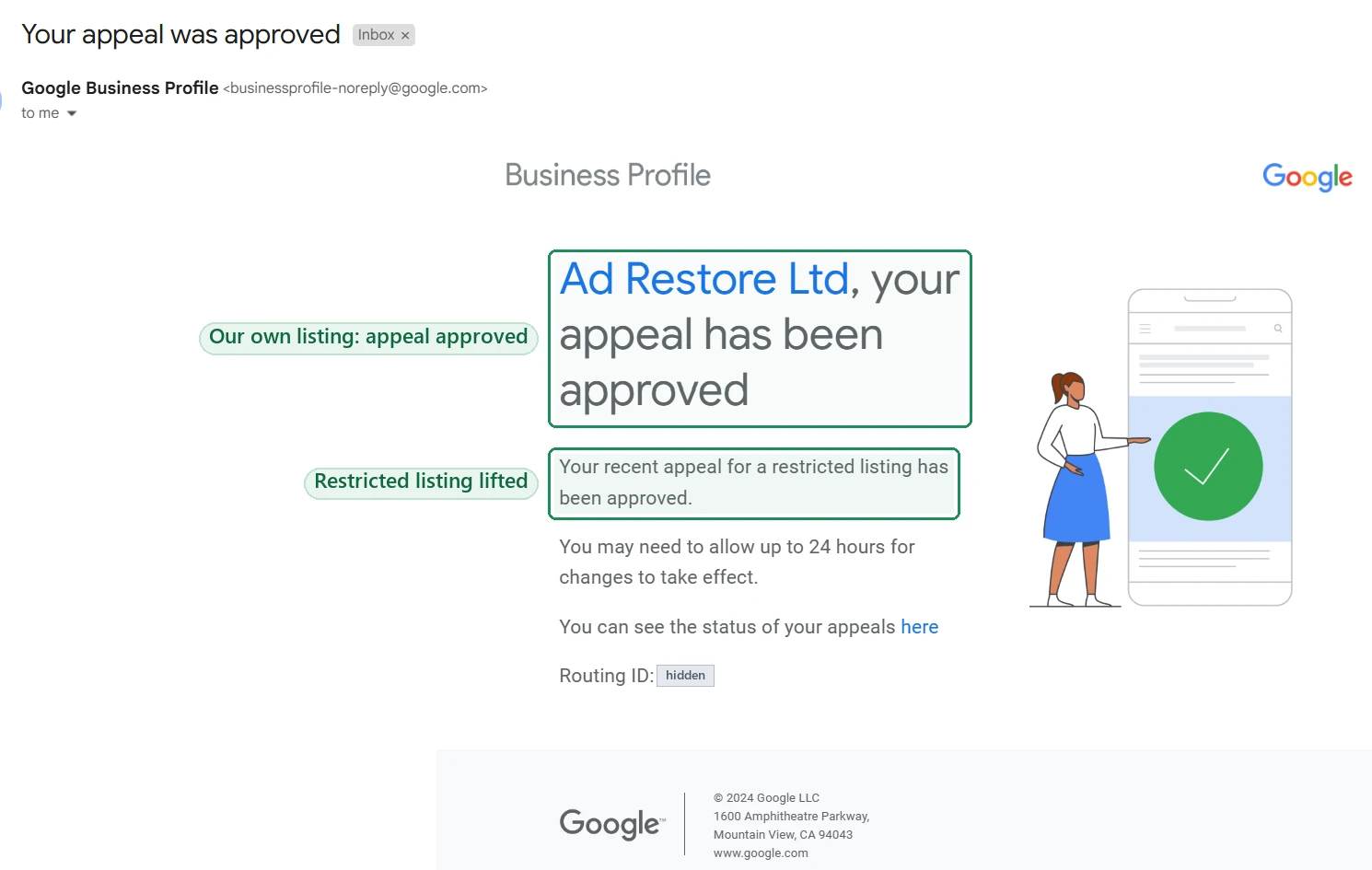
That’s one case, not a promise for yours: only Google decides whether a profile is reinstated.
Can it be fixed?
That depends on what Google flagged, and whether the profile can be made to follow its guidelines. We take Business Profile cases through our Google Business Profile Suspension service. If the business isn’t eligible for a Business Profile, or the evidence Google needs doesn’t exist, we tell you on the free call. That includes the virtual office and PO box cases above.
Don’t create a new Business Profile to get round this.
Google says: “Do not create a new Business Profile for the same business.” Its guidelines say there should only be one profile per business, and a restricted account won’t be able to create or claim other profiles.
The appeal route
- Eligible for appeal? The appeals tool, with your evidence ready before you start.
- Not approved? Google’s additional review form, with a registration document and a utility bill that match the listing.
- Google Account restricted? Your My accounts page first, then the profile.
- Tool says there’s nothing to appeal? If it says there’s no moderated content or restricted access to appeal and you believe there is, contact Business Profile Help. Google says its team can confirm whether you’re eligible for any new appeals.
- Business in the EEA? You can also refer the appeal to an out-of-court dispute settlement body.
Our other guides cover what the suspension notice means, suspensions for deceptive content and whether a Business Profile suspension affects Google Ads.
Frequently asked questions
Where is the Google Business Profile reinstatement form?
Your first reinstatement request goes through Google’s Business Profile appeals tool, not a form. Google’s Request additional review of a denied appeal form comes second: it only takes requests after your appeal in the tool has been denied.
How long does a Google Business Profile appeal take?
Google says appeal reviews and decisions can take up to five working days. For the additional review form it gives no timescale: its confirmation says Google’s team will contact you once it has reviewed your request. Our own profile was suspended and reinstated within October 2024, but that’s one case, not a promise.
How do I check my Google Business Profile appeal status?
Open the appeals tool, signed in with the Google Account related to the profile, and select the profile. The status shows on the right: Submitted, Approved, Not approved, Can’t be appealed or Eligible for appeal. If it’s your Google Account that’s restricted, track that appeal on your My accounts page.
Can I appeal again if my appeal is Not approved?
Not in the appeals tool: Google says appeals can only be submitted once. What it offers instead is an additional review, through its Request additional review of a denied appeal form, where you can add evidence that wasn’t in your first appeal.
Why didn’t I get an email after submitting my reinstatement request?
If you used Google’s additional review form, that’s expected: its confirmation says you won’t receive an email confirmation, and that Google’s team will contact you once it has reviewed your appeal. For an appeal in the appeals tool, Google says it will email you the decision, and you can check the status in the tool meanwhile.
Can a profile at a virtual office or PO box be reinstated?
Google’s guidelines say a virtual office isn’t eligible for a Business Profile, and that merchants who set their address at a PO Box will have their profile suspended. In our experience, cases built on either fail, because the location doesn’t match.
Should I create a new Business Profile while I wait?
No. Google says do not create a new Business Profile for the same business while your appeal is under review, and its guidelines say there should only be one profile per business.