Skip to content

Disapproved: Compromised site – Google Ads
 Gianluca Catinella, Director, Ad Restore LtdPublished on 8 min read
Compromised site
Shown in Google Ads beside an ad with the status “Disapproved”. Google’s own filter for these ads is “Policy Details: Compromised site”.
This label means Google has disapproved the ad because it thinks the site behind it has been tampered with. Google defines a compromised site as one whose code has been manipulated to act in ways that benefit a third party without the owner knowing. It’s an ad disapproval, not a suspension, and in our experience it doesn’t always mean the site was hacked.
This guide is about that case: the label is on your ads, and you can’t find anything wrong with the site. If your whole account is suspended for malware, read the Malicious Software suspension instead. If the label says “Destination not working”, read that guide.
Checked against Google’s help pages on 4 October 2026. Google changes them without notice, so check the linked page before relying on a detail.
At a glance
A disapproval, not a suspension
Google says a warning comes at least seven days before any suspension under this policy.
Google means hacked
Code changed to benefit someone else, without the owner knowing.
It can be a false positive
In our experience: a site Google’s crawlers couldn’t check was flagged, though nothing was hacked.
You appeal from the ad
“Dispute decision” or “Made changes to comply with policy”.
It can escalate, in our experience
To a Malicious Software suspension, which comes without a warning.
On this page10 sections
What “Compromised site” means
Compromised sites is one of Google’s Abusing the ad network policies. Its full definition: “A compromised site is a site or destination whose code has been manipulated to act in ways that benefit a third party without the knowledge of the site or destination’s owner or operator, often in a way that harms the site’s users.”
What leads to the disapproval, in Google’s words, is “Destinations that are hijacked and hacked”. Its examples:
- sites injecting scripts or code that transmits user data without consent, like credit card skimmers;
- installing malware on end user devices, launching pop-up ads, or redirecting users to other websites;
- doing things with user data without the user’s consent;
- operating a website using a content management system with known security vulnerabilities, where it has been exploited.
Every one of those means somebody else got into the site. That’s why the label is alarming, and why it’s worth checking carefully before you assume the worst.
How it relates to Malicious Software and Destination not working
- Compromised sites disapproves ads. Google says violations won’t lead to immediate account suspension without prior warning, and that a warning will be issued at least seven days prior to any suspension of your account.
- Malicious software is the neighbouring policy, and it’s egregious: Google says accounts are suspended upon detection and without prior warning. Our guide to the Malicious Software suspension covers it.
- Destination not working is a different label again: Google’s crawler got an error instead of your page. That guide covers testing and unblocking AdsBot.
In our experience, a compromised-site problem can escalate to a Malicious Software suspension. Google’s US English page for Compromised sites even carries a section headed “Troubleshoot issues with Malicious software”. So treat the disapproval as a warning, not a nuisance.
When nothing was hacked: what we’ve seen
On 19 February 2025 an ad in a florist’s Google Ads account showed as disapproved under “Compromised site”. Nothing on the site had been hacked.
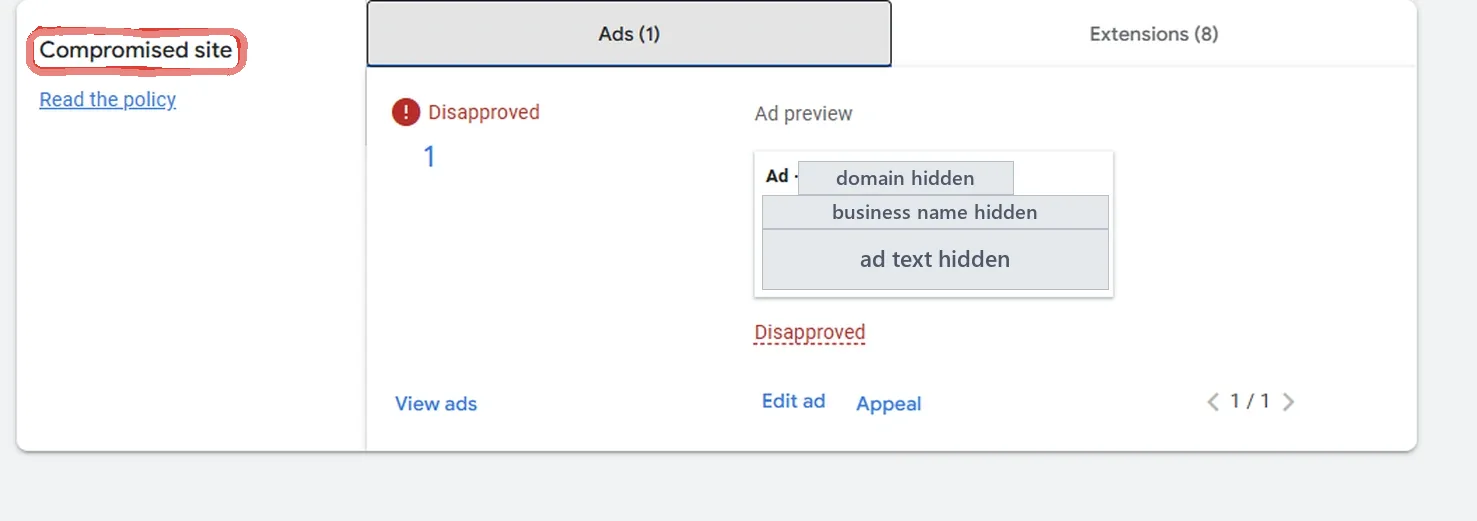
The site was custom-built. Its redirects, and security plugins blocking bots, stopped Google’s crawlers from checking it, and that’s what was behind the label. We found it with our own tools, the client fixed the redirects and the bot blocking, and we contacted Google support together. After about five days the ad was approved. The whole case, including the account suspension it sat beside, is in the florist’s case study.
A normal visit doesn’t show a problem like this. Earlier that month, an outside check of the same homepage came back “200 OK”.
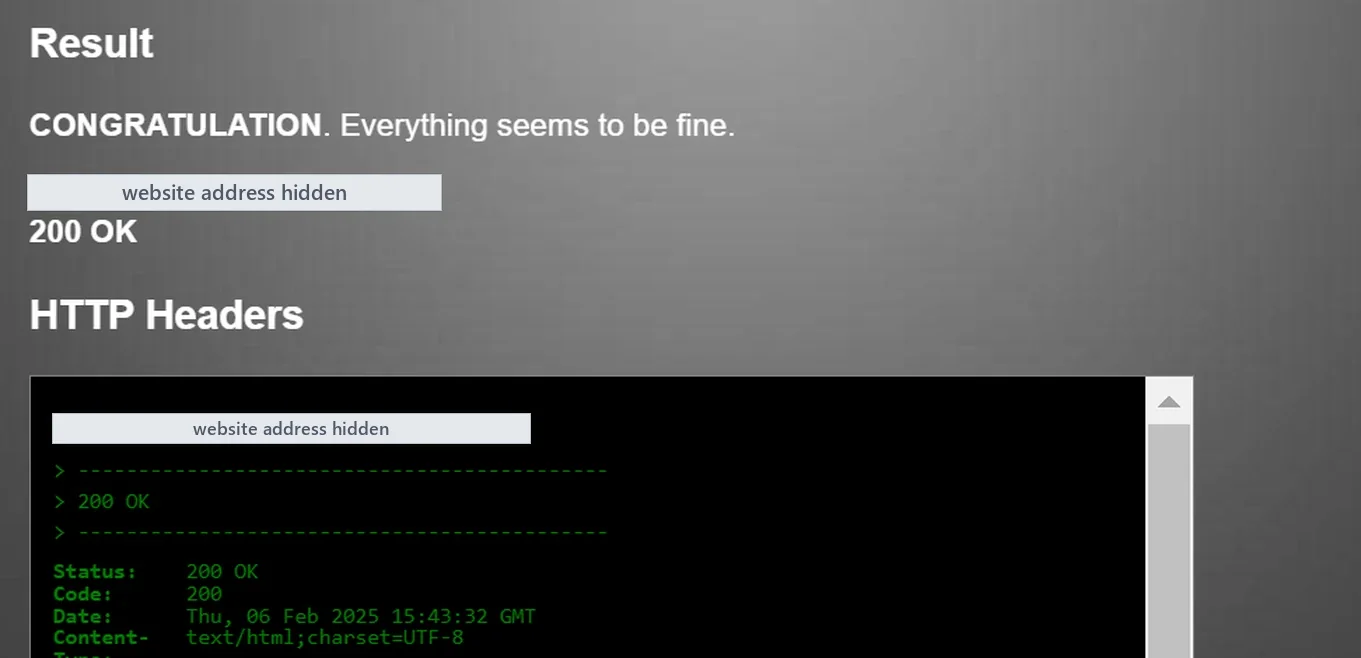
Google says the same kind of thing in its help for a related label: if your website works for you but gets disapproved, your server’s security settings, firewalls or content management system plug-ins might be blocking the automated crawl system.
What Google asks you to do
Find the disapproved ads
In Google Ads, go to Ads and add the filter “Policy Details: Compromised site”.
Read the disapproval reason
It shows where the content is loaded from. Google says “We sometimes show compromised domains in your Google Ads account when we find them”.
Clean the site
Google asks you to remove any code that refers to the identified domains, and points to its Help for Hacked Websites.
Check Safe Browsing
Look the site up in Google’s Safe Browsing site status checker. If it’s listed, fix the issue and file an appeal through Search Console; Google says the ads should automatically be re-enabled to serve ads after that.
Appeal the ads
In the Status column, hover over the ad’s status and click Appeal. Choose “Dispute decision” or “Made changes to comply with policy”, pick the ads and submit. Follow it in Policy manager.
If the site isn’t hacked, check what Google can see
In our experience, this is where a false positive shows itself. Before you appeal:
- Don’t stop at “it loads for me”. A browser, or a checker that returns 200 OK, isn’t Google’s crawler.
- Look at redirects. In the florist’s case, the custom-built site’s redirects were part of what stopped Google checking it.
- Look at security plugins and firewalls. Bot blocking was the other part. Our Destination not working guide shows how to test what Google’s AdsBot gets back, and which user agents Google asks you to allow.
- Don’t show Google a different page. A rule that serves the crawler something simpler than people see is cloaking, which Google treats as Circumventing Systems. Let Google see the real site.
If you changed something on the site, the US English version of Google’s page says that in case changes have been made to only the landing page, you appeal those ads with the “Made changes to comply with policy” button.
How long the re-check takes
Google’s US English page says to resubmit your ads after cleaning the site and allow the system up to 72 hours to recrawl and re-evaluate the landing page. The UK English page doesn’t include that line.
In the florist’s case, the ad was approved after about five days, counted from when we contacted Google support. That’s one case, not a timescale anyone can promise. If your ads are still disapproved after a Safe Browsing review, Google says to contact support.
Can it turn into a suspension?
Yes, though not without notice under this policy: the warning comes at least seven days before any suspension. Google’s suspensions overview says the same about repeat violations.
The bigger risk, in our experience, is the escalation to Malicious Software. Under that policy Google says your Google Ads accounts will be suspended upon detection and without prior warning. So deal with a “Compromised site” disapproval when it appears, and keep an eye on the account’s email, spam folder included.
Don’t open a new Google Ads account to get round this.
If it does turn into a suspension, Google says “any new accounts that the advertiser tries to create may also be suspended”, and its Circumventing Systems policy names creating new accounts to re-enter the system as a violation. It would leave the site as it is, too. Read why a new account makes things worse.
The appeal route
- Only ads disapproved. Appeal from the ad’s Status column, as above: “Dispute decision” if nothing needed changing, “Made changes to comply with policy” if you fixed something.
- Still disapproved after a Safe Browsing review. Google’s instruction is to contact support.
- Can’t fix the site. Google says you can update the ad with a new destination that follows this policy, and that editing the ad resubmits it for review. The original site keeps its problem.
- Whole account suspended. That’s a different appeal: start with the Malicious Software guide and what the appeal form asks.
Questions people ask
My site isn’t hacked. Why does Google say “Compromised site”?
Google’s label means it believes the site’s code has been manipulated to benefit a third party. In our experience it can be a false positive: on a florist’s custom-built site, redirects and security plugins blocking bots stopped Google’s crawlers from checking it, and an ad was disapproved under “Compromised site” though nothing was hacked. Once that was fixed and we contacted Google support, the ad was approved after about five days.
Will a “Compromised site” disapproval get my account suspended?
Not straight away. Google says violations of this policy won’t lead to immediate account suspension without prior warning, and the warning comes at least seven days before any suspension. In our experience the problem can escalate to a Malicious Software suspension, and that one comes without a warning.
Should I choose “Dispute decision” or “Made changes to comply with policy”?
If you changed something on the site, such as removing injected code or fixing what was blocking Google’s crawlers, choose “Made changes to comply with policy”. If you’ve checked thoroughly and nothing needed changing, choose “Dispute decision”. Both are on Google’s Compromised sites page.
How long does it take for the ad to be approved again?
Google’s US English page says to allow the system up to 72 hours to recrawl and re-evaluate the landing page. In the florist’s case it was about five days from when we contacted Google support. Nobody can promise a timescale.
Does Google tell you which domain it found?
Sometimes. Google says “We sometimes show compromised domains in your Google Ads account when we find them”. If a domain is named, look for any code on your site that refers to it.
Can I just point the ad at a different page?
Google allows it: if you can’t fix the destination, you can update the ad with a new destination that follows this policy. It doesn’t fix the original site, though, and the new page has to be the real page people see, not one made for Google’s crawler.