Skip to content

Why Is My Google Ads Account Suspended? Disapprovals, Limits, Pauses and Suspensions Explained
 Gianluca Catinella, Director, Ad Restore LtdPublished on 18 min read
Your account is suspended
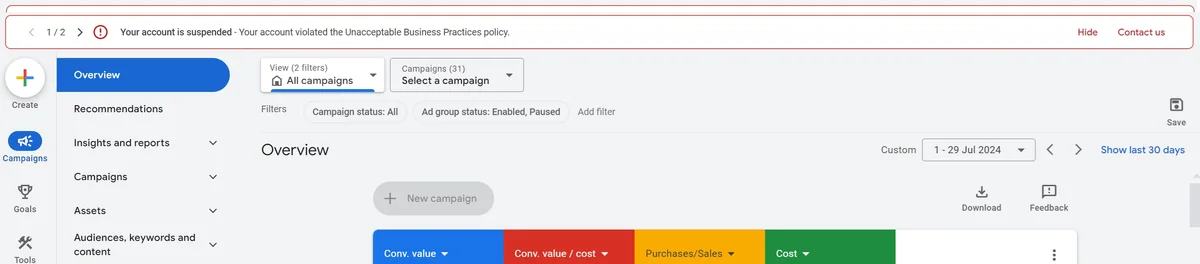
The bar across the top of a suspended Google Ads account opens with these words, then names the policy, for example “Your account is suspended - Your account violated the Unacceptable Business Practices policy.” (shown further down). Google says the suspension email will identify all policies involved.
A Google Ads account can stop serving for at least five different reasons, and only one of them is a suspension. The other four — a disapproved ad, a limited or restricted ad, a policy warning, and a paused account — arrive in the notification looking almost identical, and each has a different remedy. In the cases that reach Ad Restore Ltd, a UK Google Ads suspension recovery service registered in Scotland, businesses spend days preparing the wrong response to the wrong problem.
Something in your Google Ads account has stopped, and the wording in the notification is not telling you how bad it is. That is the first thing to establish, and it is where most advertisers go wrong. An ad that will not serve, an account banner about a policy, and an account that has genuinely been shut down all arrive looking roughly the same.
So before you write a single word to Google, work out which state you are actually in. Four of the five are not suspensions at all.
Checked against Google’s help pages on 3 October 2026. Google changes them without notice, so check the linked page before relying on a detail.
At a glance
Disapproved: one ad
That ad won’t run until it’s fixed and reviewed again. The rest of the account keeps serving.
Limited: the ad runs, with limits
By location, age or device, or because a category needs certification.
Warning: at least seven days
For repeat violations, Google warns at least seven days before suspending.
Paused: unfinished business
Verification, a payment check or an investigation. You keep access to the account.
Suspended: the whole account
Egregious policies suspend without warning. The way back is an appeal.
On this page13 sections
“Suspended” is not one thing
Google Ads enforcement is layered. It can act on one ad, on a group of ads, on your ability to serve in certain places, or on the whole account. In practice, an advertiser who says “my account is suspended” is usually in one of these five states:
- An ad is disapproved. One ad, keyword or asset breached a policy and will not serve. The rest of the account continues to serve.
- An ad is limited or restricted. The ad runs, but not everywhere or not to everyone. Google’s term is “Eligible (limited)”: ads that comply with its policies but are limited in where and when they can show.
- A policy warning has been issued. The account is still serving, and the notice states a remedial action and a deadline.
- The account is paused. Ads have stopped, but this is an unfinished process, not a verdict.
- The account is suspended. The account cannot advertise, and the route back is a formal appeal.
Each of those has a different resolution route. Filing an account-level appeal for what is actually a disapproved landing page does not address the disapproval. Editing an ad when the account has been suspended does nothing at all.
If you searched for an “AdWords campaign suspended”: AdWords is the name Google Ads had until 2018, when Google announced AdWords was becoming Google Ads. A suspension isn’t aimed at one campaign. Google says that if it suspends your account, all ads in the suspended account will stop running. A single campaign that has stopped is more likely to have disapproved or limited ads, which the table below covers.
The five enforcement states side by side
Read across the row that matches your notification.
The five enforcement states
| State | What keeps running | Is a warning given? | Where you act, and how it’s resolved |
|---|---|---|---|
| Ad disapproved | The rest of the account continues to serve. The ad itself won’t run until the policy violation is fixed and it’s reviewed again. | No separate warning. The disapproval is the notice. | The status column on the ad, and Policy Manager. Edit the ad or the landing page and resubmit, or appeal that decision. |
| Ad limited or restricted | The ad itself, at reduced reach: by location, by age, on certain devices, or because the advertiser is not certified for a restricted category. The rest of the account is unchanged. | No. The status is the signal. | The policy details on the ad in Policy Manager. Complete the certification or verification the category requires, change targeting, or amend the ad. |
| Policy warning issued | The whole account. Ads keep serving during the notice period. | Yes. Google states this notification is sent at least seven days before a suspension action. | The email and the in-account notification, cross-checked in Policy Manager. Fix the underlying issue inside the notice period so no suspension follows. |
| Account paused | Nothing serves, but you keep access to the account and its reports. | Usually yes. Verification pausing follows a 30-day notice period. | The in-account notification that asks you to submit documents or answer questions. Complete the step in-product. This is normally not an appeal. |
| Account suspended | Nothing serves. The account is stopped for a policy violation; for the most serious policies this happens on detection. | Sometimes. Egregious policies carry no prior warning at all. | The suspension email, the account banner, and Policy Manager. A formal appeal with evidence that the violation has been resolved. |
One more state sits between a warning and a suspension. For repeat violations Google runs a strike system: temporary account holds apply for the first and second strikes, for three and seven days respectively, and the third strike results in an account suspension.
If you cannot place yourself in one row with confidence, do not act yet. The next sections narrow it down.
Ad-level versus account-level enforcement
A disapproval is a judgement about one piece of creative and its destination. A suspension is a judgement about the advertiser. That is why they behave so differently: you can have hundreds of disapprovals and a healthy account, and you can have a clean creative library and a suspended account.
Ad-level appeals run under their own rules. Google states that each ad is limited to three appeals, and that after three unsuccessful appeals you cannot file again for that ad without contacting support. Google also asks you to wait at least 24 hours between appeals so they are not treated as duplicates.
When you appeal, you choose one of two reasons, and the choice matters:
- Dispute decision — you believe the ad already complies and the decision was applied in error. Use this only when you can point to the specific policy text and show the ad meets it.
- Made changes to comply with policy — you have edited the ad, the assets or the landing page. Use this when something has genuinely changed, and make the change before you file, not after.
In the appeals I have worked on, repeatedly disputing a decision without having changed anything is a common way a fixable ad problem gets worse rather than resolved. Each unsuccessful dispute consumes one of the three, and the ad still does not comply. Google’s own advice points the same way: if you have fixed the issue but your appeal fails or is marked as a duplicate, don’t repeatedly submit appeals.
Which Google Ads policies suspend an account without warning?
Google draws a line between ordinary violations and what it calls egregious ones. Its definition is worth reading exactly as written: “An egregious violation of the Google Ads policies is a violation so serious that it is unlawful or poses significant harm to our users or our digital advertising ecosystem.” For those, Google states that the account is suspended immediately without prior warning.
Google publishes the list of policies it treats as egregious:
- Circumventing systems
- Coordinated deceptive practices
- Counterfeit
- Malicious software
- Prescription opioid painkillers
- Promotion of unauthorised pharmacies
- Unacceptable business practices
- Trade sanctions violation
- Sexually explicit content
- Child sexual abuse and exploitation
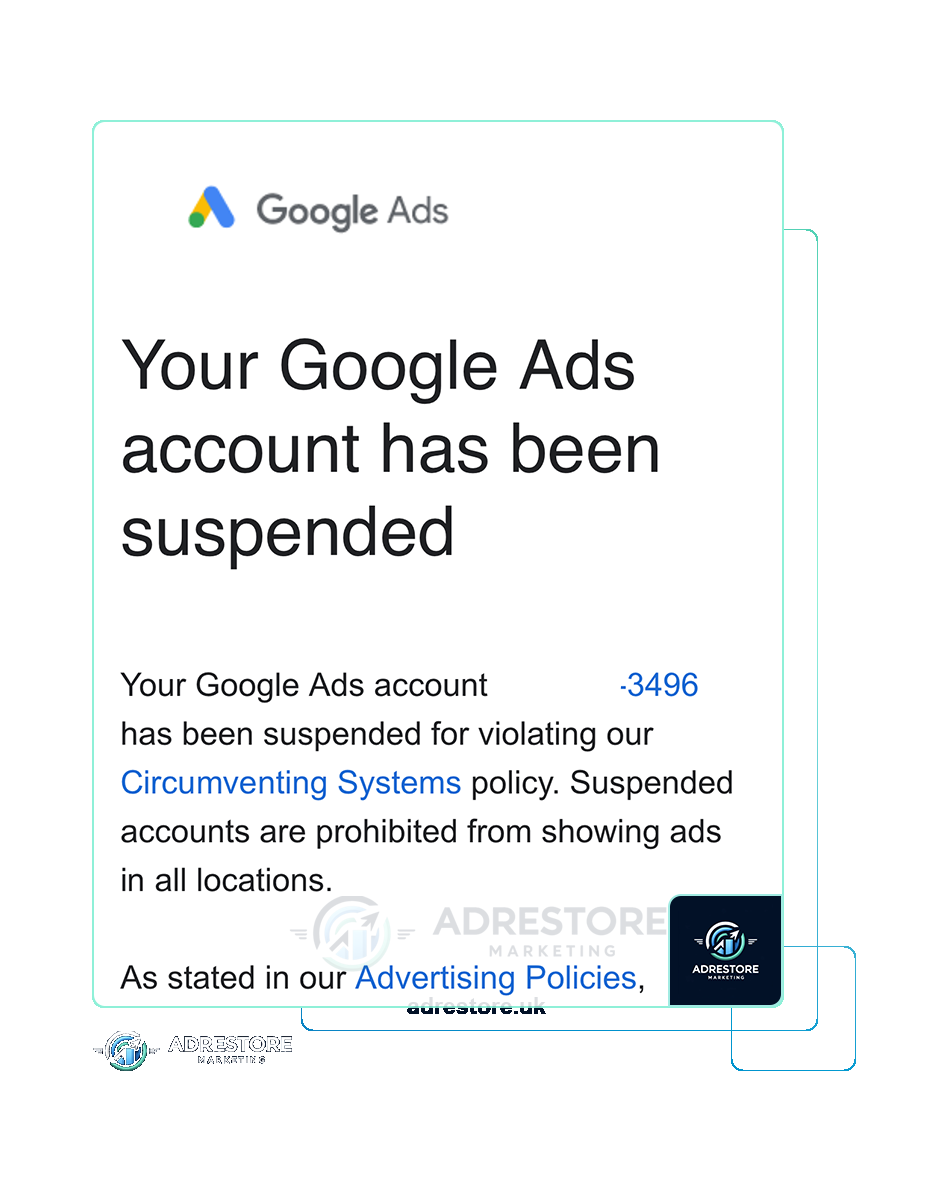
If your notification names one of these, there was no warning email, and its absence is not evidence that the suspension is a mistake. The actionable point is different: because no warning was issued, there is no remedial checklist to work from, so an appeal has to establish what was reviewed and show that it now complies. Google states that advertisers have at least six months from the date of account suspension to submit an appeal, so an accurate submission matters more than a fast one.
Which Google Ads policies give a warning before suspension?
Two policies state explicitly that they do not suspend on detection. Google’s Compromised sites policy covers destinations whose code has been manipulated by a third party without the owner’s knowledge, and it states that a warning will be issued at least seven days before any suspension of the account.
If that is your label, the notice period is for the remediation itself. Keep the evidence as you go: scan output, the date the malicious code was removed, the plugin or credential that was the entry point, and confirmation from your host. If a suspension does follow, that evidence is your appeal, already written.
The Evasive ad content policy also warns before it suspends, but it is a completely different finding and it should not be read alongside the one above. It is a prohibition. Google’s wording for what it bans is “Manipulation of ad components like text, image, videos, domain or subdomains in an attempt to bypass detection and enforcement action.” That is conduct no advertiser should ever attempt, and where an account has been labelled under it the only legitimate route is to remove the offending content and bring the ads into compliance with the policy. Google states that a warning here is likewise issued at least seven days before any suspension. That notice exists so the violation can be corrected before enforcement lands. It is not a period during which the conduct is tolerated, and it is not time an advertiser is entitled to spend.
Paused is not suspended
An account can stop serving without any finding against you. Google’s account pausing documentation is clear that paused accounts cannot run ads, but you can still access your paused account and any associated reports. Two routes account for most pauses:
Advertiser verification not completed in time
When Google asks a business to complete advertiser verification, it notifies the advertiser by in-account notification or email and tells them what the deadline is. The account pausing page sets out what happens next: there is a 30-day notice period, and if the documentation is not submitted or verification is not completed within that window, the account is paused. Google states that the account will be unpaused after Google completes the review of your application and successfully verifies the account. Common reasons an attempt fails include missing licences, an incorrect business type, or an undisclosed relationship between the advertiser and the promoted business — that is what turns an administrative delay into a real problem. Google limits failed verification attempts: it says excessive failed attempts pause the account.
Suspicious payment activity
Where Google detects unusual payment behaviour, it can pause ads pending a payment review. You answer a short set of questions about your payment history from the in-account notification, and may be asked to confirm the payment method. Google publishes timings for this route: if you are asked to confirm a card, the email arrives within 10 minutes; if you are not, you get a different email with a decision about the pause within five business days; and after you submit a confirmation code, a decision follows within two business days.
The critical distinction is that in both cases the fix is in-product, not an appeal. Writing an appeal essay when Google has asked for a utility bill or a card confirmation only delays you. That said, “Suspicious payment activity” is also the name of a genuine account suspension, and if your notice says suspended rather than paused you are looking at a billing-integrity case that needs a documented account of who owns the payment instrument and who authorised the spend.
Other pauses Google lists
- Temporary pausing for account investigation. Google may briefly pause and restrict spend while it checks behaviour that may pose a risk; once it decides the account is safe, it can serve again.
- Business operations verification. Google says an account may be paused if the business model is unclear; see “Your account will be paused: We couldn’t verify your business operations”.
- A link to a manager account in violation. If your account is linked to a manager account that breaks Google’s third-party policy, Google says you’ll need to unlink it to serve again.
How do I confirm which enforcement state my account is in?
Read three sources, in this order, and do not skip to the third:
The notification itself.
The email or in-account notice contains the exact policy name and the exact action taken. Copy that wording out verbatim into a document. Paraphrasing it is where most misdiagnosis begins.
The account banner.
The banner across the top of the account tells you whether the account is serving, paused, or suspended. If ads are still delivering, you are not suspended.
Policy Manager.
Under Tools, then Troubleshooting, then Policy Manager, you get the ad-level picture: which ads are disapproved, which are limited, which policy each one hit, and the appeal controls. It is also where you see whether a single landing page is behind dozens of disapprovals.
If the banner says suspended but Policy Manager shows nothing unusual at ad level, that is a strong signal the finding is about the business or the destination rather than the creative, and your evidence needs to be about the business.
Reading a compound policy label
Suspension labels usually come in two halves, and the second half is the one that tells you what was actually reviewed. In the notifications I see, the headline policy is followed by the specific violation — cloaking, or multiple account abuse — and those two sit under the same headline policy while pointing at completely different evidence.
Cloaking is about your destination: showing different content to different people, or to Google, so that what is assessed is not what users get. The evidence lives in your site — redirect rules, geo or user-agent logic, plugins, and anything a previous developer or affiliate network installed. Google’s cloaking policy states that it is acceptable to show slightly different content to different people, giving language, regional offers, geography and connection speed as examples, but that the promoted product or service needs to be the same for everyone.
Multiple Account Abuse is about your account estate. The same policy page prohibits creating further Google Ads accounts after a suspension, and running large numbers of accounts for deceptive purposes — its own example is creating dozens of accounts to run a scam. The evidence there is nothing to do with your website at all. It is the list of every account, manager account, login, payment profile and domain associated with your business, and the legitimate operational reason each one exists.
A page of website fixes does not address what a Multiple Account Abuse label is about. Read the second half of the label first.
Where each state leads next
Once you know the state, the route follows from it:
- Disapproved or limited ads. Fix at ad level in Policy Manager, and check whether one landing page sits behind several disapprovals before you edit any copy — if it does, resubmitting new headlines against an unchanged destination will fail the same way each time.
- A policy warning. Treat the stated deadline as your working deadline and finish the remediation inside it, rather than replying to the notice and waiting. Our overview of how Google Ads suspension policies work covers what Google expects to see resolved.
- A paused account. Complete the verification or payment step Google has asked for, in-product, and keep a dated copy of every document and answer you submit — if the first attempt is rejected you will need to show what changed on the second.
- A suspended account. Work to the named policy, and build the evidence the second half of the label points at rather than a general tidy-up of the account. We handle appeals under three of the policy labels advertisers commonly arrive with: Circumventing Systems Policy, Suspicious Payment Activity and Unacceptable Business Practices. Our appeal best practices covers how to structure the submission itself, and the wider range of services covers the account and compliance work that follows reinstatement.
Don’t open a new Google Ads account to get round this.
Google says accounts related to a suspended one may be suspended, and any new accounts that the advertiser tries to create may also be suspended. Even for a paused account, it says any new accounts that you try to create may be paused. Its Circumventing Systems policy names creating new accounts to re-enter the system as a violation. Read why a new account makes things worse.
The appeal route
- One ad or asset: appeal from Policy Manager, choosing Dispute decision or Made changes to comply with policy, and wait at least 24 hours between appeals on the same ads.
- A suspended account: Google says to select the Contact Us link in the notification at the top of your screen, which opens the appeal form. Send one appeal at a time; if it’s rejected, you can re-appeal the same way.
- A paused account: usually not an appeal at all. Finish the verification or payment task in the account.
- Time limits: advertisers have at least six months from a suspension to appeal it. For ad-level decisions, Google says the in-account appeal will not be available for policy decisions made more than six months prior from 21 July 2026; for those, it says to contact Google Ads support.
Before you write an account appeal, read what the appeal form asks and why appeals get rejected.
If you are still not sure which one you have
Misdiagnosis is expensive because neither appeal route is unlimited. At ad level the cap is explicit: three unsuccessful ad appeals close that route without contacting support. At account level Google publishes no cap, but it does state that if you file too many appeals for the same account suspension, “we may not process them”, and that where it has indications the appeals function is being misused it will suspend processing of certain appeals for seven days. An account appeal built on the wrong evidence does not address the finding, and it spends a submission in a process that throttles repetition.
If you have the notification in front of you and cannot place it in one of the five rows above, bring it to a free consultation call. Send the exact wording, the account ID and what Policy Manager shows, and we will tell you which state you are in and what the realistic route back looks like — including when the honest answer is that you can resolve it yourself in-product without instructing a firm.
Frequently asked questions
Why is my Google Ads account suspended?
Google says the suspension email identifies all the policies your account was suspended for, with a link to appeal, and the red bar at the top of the account names the policy too. The email names the policy, but it doesn’t say what specifically triggered it, so start from the named policy and work out what it points at.
Which Google Ads policies suspend an account without warning?
Google draws a line between ordinary violations and what it calls egregious ones. Its definition is worth reading exactly as written: "An egregious violation of the Google Ads policies is a violation so serious that it is unlawful or poses significant harm to our users or our digital advertising ecosystem." For those, Google states that the account is suspended immediately without prior warning.
Which Google Ads policies give a warning before suspension?
Two policies state explicitly that they do not suspend on detection. Google's Compromised sites policy covers destinations whose code has been manipulated by a third party without the owner's knowledge, and it states that a warning will be issued at least seven days before any suspension of the account. Its Evasive ad content policy also warns at least seven days before any suspension.
Is a paused Google Ads account the same as a suspended one?
No. Google says paused accounts can’t run ads, but you can still access the account and its reports. Most pauses end when you complete verification or a payment check in the account, not with an appeal. A suspension is different: Google considers it permanent unless an appeal succeeds.
Can one campaign be suspended on its own?
Google’s suspensions apply to the account: if it suspends your account, all ads in it stop running. A single campaign that has stopped is more likely to have disapproved or limited ads. AdWords, in older searches, is the name Google Ads had until 2018.
How long do I have to appeal a suspension?
Google says all advertisers have at least six months from the date of account suspension to submit an appeal. For individual ad policy decisions, from 21 July 2026 the in-account appeal option isn’t available for decisions made more than six months earlier; Google says to contact Google Ads support for those.