Skip to content

Google Ads Account Suspended: What to Do in the First 24 Hours
 Gianluca Catinella, Director, Ad Restore LtdPublished on 12 min read
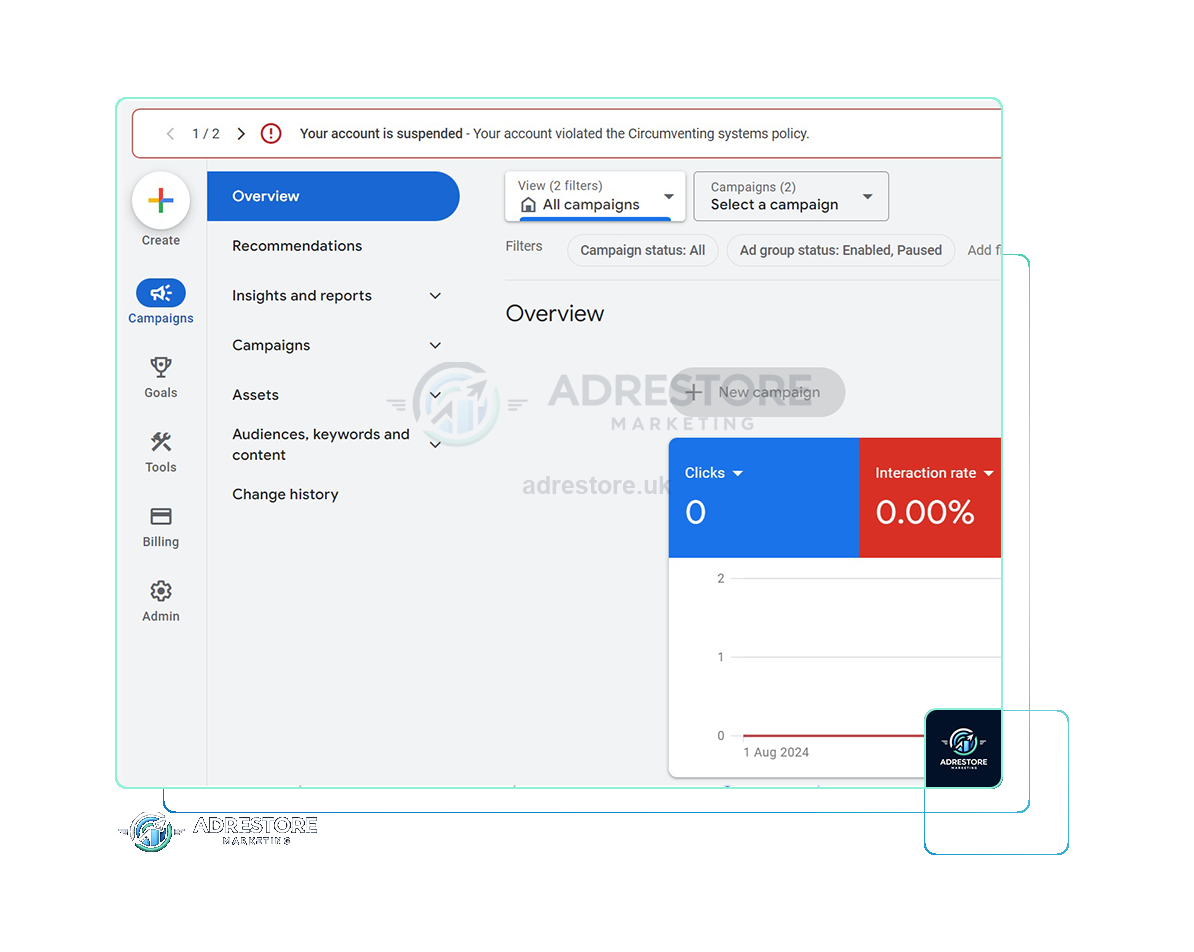
Your account is suspended
The opening words of the red banner Google shows across the top of a suspended Google Ads account. The policy named after them varies; the amount of detail doesn’t.
If your Google Ads account was suspended today, no deadline is closing on you: Google says all advertisers have at least six months from the date of account suspension to submit an appeal. The useful work in the first twenty-four hours is diagnostic rather than clerical: identify the exact policy named in the notice, establish what still works inside the account, and preserve the evidence you will need. In our experience, much of the avoidable damage in suspension cases is done on day one, by an advertiser acting fast on a guess about why the account went down.
So slow down. Your campaigns have stopped serving, there is a red banner across the top of the Google Ads interface, and an email has arrived telling you the account is suspended. The instinct is to file something immediately. That instinct is the problem. This guide covers the twenty-four hours before anyone writes an appeal; when you reach the point of drafting, our guide to Google Ads suspension appeal best practices takes over.
Google’s wording quoted here was checked against its help pages in late September and early October 2026. Google changes them without notice, so check the linked page before relying on a detail.
At a glance
At least six months to appeal
No deadline closes today. Google gives every advertiser at least six months.
Read-only, not locked
You can still view the account, download reports, pay and appeal.
The notice names the policy
Google’s email identifies every policy the account was suspended for.
One appeal at a time
Google may not process too many appeals for the same suspension.
No replacement account
Google says new accounts a suspended advertiser creates may also be suspended.
On this page10 sections
Start with the notice, not the appeal form
A suspension is not a single generic event. Google issues suspensions under named policies, and the notice tells you which one. Google’s account suspensions overview says suspended advertisers receive an in-account notification and an email notification, and that the email notification will identify all policies the account was suspended for, with a link to the appeal form.
So before anything else, find both. Look at the banner at the top of the Google Ads account, and search the inbox of the address on the account, including spam and any shared mailbox the account was set up under. Check every address with access to the account, including whoever originally created it, not only whoever manages it day to day.
Read the policy name literally and write it down exactly as Google wrote it. “Circumventing systems”, “Unacceptable business practices” and “Suspicious payment activity” are three different findings with three different remedies. A payment-related suspension typically turns on billing documentation and payment method verification, and Google notes that you may be asked to verify your payment method before an appeal is processed. A finding under Google’s Misrepresentation policy, which is where Unacceptable business practices sits, usually involves changes to your site, your business disclosures and your offer. Treating one as the other wastes the strongest submission you will make.
Check Policy Manager as well, and record what it shows. Google’s page on its policy compliance tools explains where Policy Manager sits in the current interface; the Google Ads navigation has been reorganised more than once, so take the path from Google rather than from memory.
What still works in a suspended account
A suspended account is not a locked account. Google says suspended accounts are in read-only mode, with a few exceptions, and those exceptions matter in the first day. Google lists them as:
- Navigate to any page on their Google Ads account
- Read information from their Google account and download associated reports
- Make a payment, download tax documents, add a payment method
- Appeal suspension, advertiser verification
- Update security settings within the Google Ads account
- Cancel account, claim refunds
Most of that list is work you can get on with today, calmly, with the account exactly as it is. One item on it is not a first-day action: don’t cancel the account while reinstatement is still on the table, because the route back to paid search runs through this account.
You have at least six months
The panic in the first hour usually comes from an assumption that a deadline is closing. One is not closing today. In our experience, the appeals that go well are the ones built on the actual named policy and supported by documents you have gathered and changes you have genuinely made, rather than the ones filed within the first hour on a guess. The appeal is where you present your case; you shouldn’t be using it to find out what the case is.
There are shorter clocks inside the process, so watch for those specifically. If your suspension is billing-related, Google notes that you may be asked to verify your payment method within 30 days before the appeal is processed. If you have been asked to complete advertiser verification, Google says it will tell you what your deadline will be, so take the date from that request itself. Those are real deadlines. “Appeal immediately or lose the account” is not.
The four things not to do today
- Don’t open a replacement account. It’s the most expensive mistake available to you, and advertisers make it within the first afternoon because the ads need to run. Google’s Circumventing Systems policy names creating new accounts to re-enter the system after a suspension as a violation. A replacement account doesn’t restore your advertising; it adds a second, harder problem.
- Don’t file a second appeal on top of a pending one. Google says if you file too many appeals for the same account suspension, it may not process them, and if it sees the appeals function being misused it will suspend processing of certain appeals for seven days. Google’s appeal form page says you will receive a response within 3-5 working days, and in our experience it can take longer; a quiet stretch is not a reason to submit again.
- Don’t change everything on the site at once without recording it. If you change forty things and the account is reinstated, you never learn which one mattered; if it isn’t, you can’t tell a reviewer what you actually did. Make deliberate changes, and keep a dated log of each one with a before-and-after screenshot.
- Don’t delete the evidence. Deleted campaigns, removed landing pages, cancelled payment methods and closed email accounts are all things someone tidies away in a panic and needs three weeks later. Preserve first, change second.
Don’t open a new Google Ads account to get round this.
Google’s Circumventing Systems policy names creating new accounts to re-enter the system after a suspension as a violation, and Google says any new accounts that the advertiser tries to create may also be suspended. Read why a new account makes things worse.
An ordered first-day sequence
If you do nothing else in the first twenty-four hours, do this, in this order.
Capture the notice.
Screenshot the in-account banner, save the suspension email as a PDF including full headers, and note the date and time. This is the primary document for everything that follows.
Check Policy Manager.
Screenshot whatever it shows, including an empty state.
Export what you may not always be able to reach.
Download your campaign, ad group, keyword and search terms reports, your billing documents and your change history. Reading information and downloading reports is one of Google’s stated read-only exceptions.
List every account in the picture.
Every manager account linked now or before, and every account sharing a login, a billing profile, a phone number or a website with this one. Google says accounts related to the suspended account may be suspended, and you will need to describe these relationships accurately in the appeal, so build the list in order to disclose it.
List every payment method and who legally owns it.
Card, bank account or direct debit, the name on it, and whether that name is the same legal entity as the advertiser. In our experience, a mismatch between the payer and the advertising entity is one of the first things to look at in payment-related cases.
Look at what your landing pages actually serve.
Load them from a clean browser, on mobile as well as desktop, from the country you advertise in. Check that nothing redirects unexpectedly, that no page sits behind an interstitial, and that Google’s crawlers aren’t blocked by robots.txt, a firewall or a CDN. Google requires that your ad destination and its contents are crawlable by Google AdsBot web crawlers.
Establish the entity name.
Advertiser verification asks you to confirm information about your organisation, so start with the exact legal name, company number, registered address and contact details on the Ads account and the payments profile, and make sure they match your documents. We would also check the same details on your website footer, your terms and your business registry entry.
Route yourself to the right policy family
Once you have the named policy from the notice, the work splits into distinct tracks.
What the notice says, and where to start
| What the notice says | What it is usually about | Where to start |
|---|---|---|
| Circumventing systems | Account relationships and previous suspensions, landing pages that don’t show Google’s reviewers the same content users see, and crawler blocks | Circumventing Systems guide · our service, from £450 |
| Unacceptable business practices | Business information, disclosures, pricing clarity, and whether the offer and the destination match what the ad promises | Unacceptable Business Practices guide · our service, from £500 |
| Suspicious payment activity | Payment method ownership and verification, chargebacks, unpaid balances, account security | Suspicious Payment Activity guide · our £300 service |
| No policy named, campaigns simply not running | Often a paused or disapproved state, a billing failure, or a hold rather than a suspension | Confirm the state first |
The names in the first row are Google’s: “Circumventing systems” is a section of its Abusing the ad network policy and also has its own Circumventing systems page. The categories in the second and third rows come from Google’s Misrepresentation policy and its billing and payment suspensions documentation.
Not everything that stops serving is a suspension. Paused campaigns, a declined payment method, a spend limit, an exhausted budget and disapproved ads all look similar from the outside, and none of them needs an appeal. Confirm which situation you are actually in before you write to Google about a suspension you may not have.
Keeping the business running while the account is down
If paid search was carrying your lead flow, the commercial problem is immediate and separate from the policy problem. Handle it separately. Tell your team what has happened in plain terms, and give the people answering the phone a straight line to use if a client asks. If you run ads for clients, tell them today rather than after they notice.
Then map what still reaches the market before assuming nothing does: organic search, your email list, your customer database, direct outreach and referrals. If the finding concerns your site or your business information, check any other Google surface pointing at the same site, such as Merchant Center or your Business Profile, and be deliberate about which offers and landing pages you send traffic to, because the ones named in the suspension are the ones under review.
One boundary matters more than any of this. Advertising the same business through another Google Ads account while this one is suspended is not a stopgap; Google treats it as a separate violation. Anything you set up this week to keep leads coming has to be something you would be comfortable describing to Google in writing. The route back to paid search runs through reinstating this account.
When it makes sense to bring someone in
If the cause is obvious to you, the evidence is straightforward and the fix is within your control, there is no reason you can’t handle the appeal yourself.
Outside help tends to earn its place in narrower circumstances: when the named policy doesn’t match anything you recognise in your own account; when there is a history of related accounts; when a first appeal has already been declined; when the account carries enough revenue that a slow, unstructured process costs more than the help; or when nobody internally has the time to do the diagnosis properly and the alternative is a guessed appeal.
Frequently asked questions
Should I appeal a Google Ads suspension straight away?
No. Google gives every advertiser at least six months from the date of suspension to appeal, and it asks for one appeal at a time. Use the first day to find the named policy, preserve the evidence and work out the cause; then appeal once, properly.
What can I still do in a suspended Google Ads account?
Google says suspended accounts are in read-only mode, with exceptions: you can navigate the account, read information and download reports, make a payment or add a payment method, appeal, complete advertiser verification, update security settings, and cancel the account or claim refunds. Suspended accounts can’t run any ads.
Can I open a new Google Ads account while this one is suspended?
No. Google’s Circumventing Systems policy names creating new accounts to re-enter the system after a suspension as a violation, and Google says any new accounts a suspended advertiser tries to create may also be suspended.
How long does Google take to answer an appeal?
Google’s appeal form page says you will receive a response within 3-5 working days. In our experience it can take longer. A quiet stretch is not a reason to file again: Google says it may not process too many appeals for the same suspension. More in our guide to how long reinstatement takes.
Will Google tell me why my account was suspended?
It names the policy, not the detail. Google says the suspension email identifies all the policies the account was suspended for violating, with a link to appeal. Working out what triggered it is up to you, which is what the first day is for.
Should I delete the ads or pages that might have caused it?
Not before you’ve recorded them. Screenshot and export first, then make deliberate changes and keep a dated log, so you can tell Google exactly what you changed.