 Skip to content

Your verification deadline has passed – Google Ads
 Gianluca Catinella, Director, Ad Restore LtdPublished on 7 min read
Your verification deadline has passed. To restart your ads, complete advertiser verification.
Advertisers report the full alert under the heading “Account paused”, followed by “Fix it”.
This notice means Google has paused your Google Ads account because advertiser verification wasn’t completed by the deadline it gave you. Google says your account will be paused if you don’t get verified by the deadline, and paused accounts can’t run any ads. The way back is in the notice itself: you’ll be able to run ads again only if you complete advertiser verification.
Advertisers have posted this wording in Google Ads Community threads since 2022, and as recently as 2025. This page covers what to do once the deadline has gone. For how advertiser verification works in general, see our advertiser verification guide.
Checked against Google’s help pages on 21 September 2026. Google changes them without notice, so check the linked page before relying on a detail.
At a glance
Your ads have stopped
But you can still get into the account and its reports.
Verification is the way back
Google says you can unpause only if you get verified.
Paused, not suspended
In our experience, once verification is done the account is active again.
Attempts are limited
Google limits failed verification attempts, so check before you submit.
No new accounts
Google says new accounts you try to create may be paused too.
On this page10 sections
What the notice means
Google Ads tells you by in-account notification or email when you need to complete advertiser verification and what your deadline will be. Its pausing page says your account will be paused if you don’t submit documentation within the 30-day notice period, or complete the verification within 30 days, and the deadline can’t be extended.
While the account is paused:
- Your ads don’t run, but you can still access your paused account and any associated reports.
- Linked accounts can be caught. Google says related accounts, such as accounts using the same payment method, may be paused, and so may Merchant Center accounts linked to paused Google Ads accounts.
How it differs from the business operations pause
Our guide to “Your account will be paused: We couldn’t verify your business operations” covers a different notice. Google’s pausing page treats business operations verification as a programme of its own, where it may pause an account if the business model is unclear and it suspects users could be harmed. The line isn’t perfectly clean, because Google also lists questions about your business operations as one possible advertiser verification task. This notice is about advertiser verification not finished in time.
Why it happens
Google says all advertisers will eventually be required to complete advertiser verification. The pause comes when the tasks aren’t done by the deadline. On the Community, one advertiser says they never received a warning email, another that they were told they didn’t need to verify, and another that Google’s link had expired by the time they came back to it.
In our experience, the cases that reach us go like this: “they missed it, the account was paused”, with no successful verification, and “after that period, they seek professional help.” When verification does fail, in our experience it’s typically because the documents aren’t accurate, or because there isn’t enough information linking the individual to the business.
How to restart your ads
If you haven’t submitted the required documents, Google says to restart the verification program using the link in the email notification. You can also start from inside Google Ads:
Open the Account page.
Go to Admin > Policy > Account (the “Advertiser verification” page is now “Account”). That’s where you start a task, check your status, or retry a task.
Sign in as an admin.
Check your details first.
Whether your payments profile is individual or organisation affects which tasks you’ll need to complete, and your documents must exactly match your payments profile info.
Complete every task.
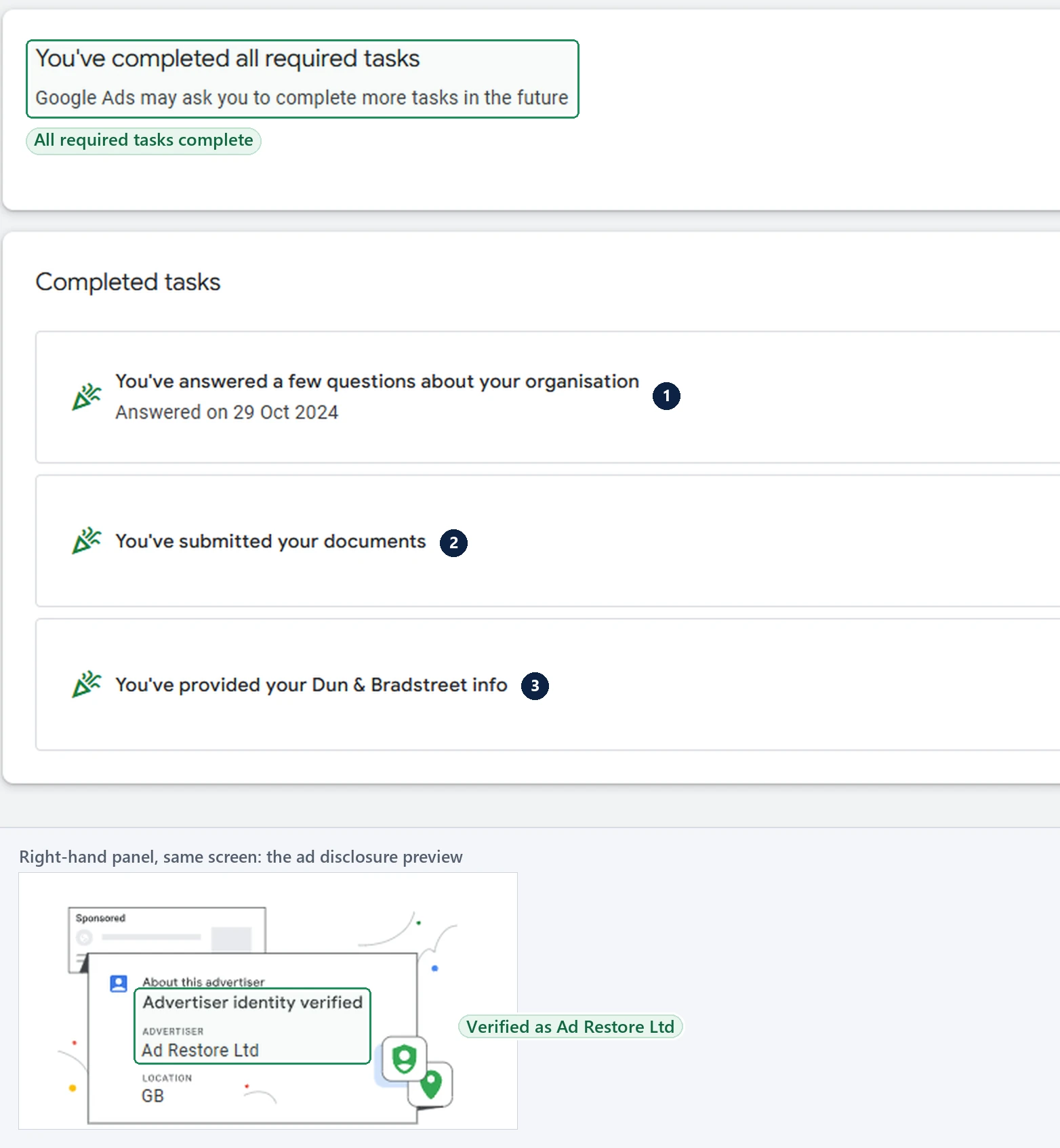
Click Start task and follow the instructions. Google says when you complete all the tasks, you’ll get a confirmation email.
Allow time for the review.
For accounts with a deadline, Google says it can take up to 5 business days, depending on the task, for Google Ads to review what you submit.
What makes it worse
Google says that, to prevent abuse, it allows a limited number of verification attempts, and its pausing page lists failing through excessive failed attempts as a separate reason to pause an account. It also warns that uploading photos or documents other than what is requested may result in account suspension. False information is more serious: it will be a violation of the Circumventing systems policy and result in the suspension of your account.
In our experience, repeated mistakes can also turn a pause into a suspension under the Unacceptable Business Practices policy, although Google doesn’t publish that as a rule. As Gianluca Catinella, our director, puts it: “Repeated incorrect documentation or incorrect verification processes can lead to unacceptable business practices. So it can lead to a suspension. And until that suspension is handled, the account’s not active.” See our guide to Unacceptable Business Practices suspensions.
In our experience, when there’s no new information to add, don’t resubmit: that’s the time to get a professional view of the case.
After it’s lifted
Keep your details steady. Google says it may ask you to verify again after significant changes to your Google Ads account, such as updates to your payments profile, billing address, or business information. Our paid service includes 14 days of support once your account is running again.
Can it be fixed?
For a missed deadline, in our experience, yes: “once the verification is done, the Google Ads account is active again”, and you can start your ads as normal. Google says you’ll be able to unpause your account only if you get verified.
The cases we can’t take are the ones our service page is upfront about: if every attempt has already been used, or the documents Google needs don’t exist for your business. We tell you that on the free call. Only Google decides.
Don’t open a new account, or verify with someone else’s details, to get round this.
Google says any new accounts that you try to create may be paused. Its Circumventing Systems policy says providing false or fraudulent information as part of our Advertiser verification programs isn’t allowed, and names creating new accounts to re-enter the system after a suspension. Read Circumventing Systems and advertiser verification and why a new account makes things worse.
The appeal route
- Paused because the deadline passed? Google’s route is verification: follow the steps above.
- Paused after repeated failed attempts? If you believe it’s an error, Google says contact us to appeal the decision, and include as much detail as possible.
- Suspended? Appeal from the notification at the top of your screen, one appeal at a time. Some advertisers must verify first: “Certain selected advertisers must complete advertiser verification successfully to appeal their account suspension.” Google limits failed verification attempts, and an advertiser it can’t verify can’t appeal.
Before you appeal, read what the appeal form asks and why appeals get rejected.
Frequently asked questions
I missed the verification deadline. Can I still restart my ads?
Google’s answer is to complete verification: you’ll be able to run ads again only if you complete advertiser verification. The deadline itself can’t be extended.
The link in Google’s email has expired. How do I restart verification?
Start from inside your account. Go to Admin > Policy > Account, where Google says you can start a task, check your status, or retry a task.
I’ve completed verification but my account still says paused. Why?
Check every task is finished: Google sends a confirmation email when you complete all the tasks. It also says it can take up to 5 business days for the verification status to update in your account.
I’ve submitted my information several times and it’s still not verified. What now?
Find out why before you try again. Google allows a limited number of verification attempts. In our experience, when there’s no new information to add, that’s the time to get professional help.
Can I run my ads from a new account while this is sorted out?
Don’t. Google says any new accounts that you try to create may be paused. Verify the account you already have.














