 Skip to content

Unacceptable Business Practices: a 24-point website checklist for your appeal
 Gianluca Catinella, Director, Ad Restore LtdPublished on 25 min read
Make sure that your website has updated contact information and a clear explanation of what your company does, like on an ‘About us’ page.
One of Google’s best practices for its Unacceptable Business Practices policy (UK English help page, checked 1 October 2026).
Google doesn’t publish a checklist for Unacceptable Business Practices. It does say that, to decide whether the policy has been broken, it may review information from multiple sources including your ad, website, accounts and third-party sources. So your website is evidence. This guide turns Google’s policy wording, UK law and plain good practice into 24 checks you can run yourself, each with a quick test and a fix.
It comes from a case we’re working on: a Spanish Google Ads agency that handles multiple accounts for multiple different clients, with 53 of the 75 accounts under its manager account suspended. It started with one client: a Spanish new-build property development’s sales website, advertised to buyers in the Netherlands, Germany, Poland and the UK. How one client’s suspension spread to 53 accounts is in our case study; this guide is about the website.
Checked against Google’s help pages and UK legislation on 1 October 2026; Google changes its pages without notice. The case is anonymised and still open: the appeal hasn’t been filed yet. The screenshots are real, with identifying details hidden.
At a glance
Google looks beyond the ad
It says it may review your ad, website, accounts and third-party sources.
No warning first
Unacceptable Business Practices is on Google’s egregious list: accounts are suspended upon detection, without prior warning.
24 checks, eight questions
Who runs the site, who you’re dealing with, contact, honest claims, templates, the brand owner, legal pages and languages.
Fix first, then appeal
Google’s first appeal tip is to put its best practices in place. In our case, about 10 appeals were denied while most of the site’s problems stayed.
Not every site can be saved
If a business misrepresents itself on purpose, no checklist changes that, and we’ll tell you so.
On this page17 sections
What does Google check on your website?
Scamming people by hiding or misrepresenting information about your business, products or services isn’t allowed. Of the four things the policy says you can’t do, two matter most for a website:
- make it seem like you’re affiliated with another brand, organisation or government entity when you’re not;
- offer products or services that you don’t have or can’t deliver, including not having the right licences or qualifications.
One of Google’s examples could have been written about our case: tricking people into believing that you’re the official website for a new housing development so you can earn commission. (Google’s US page says “real estate development”.)
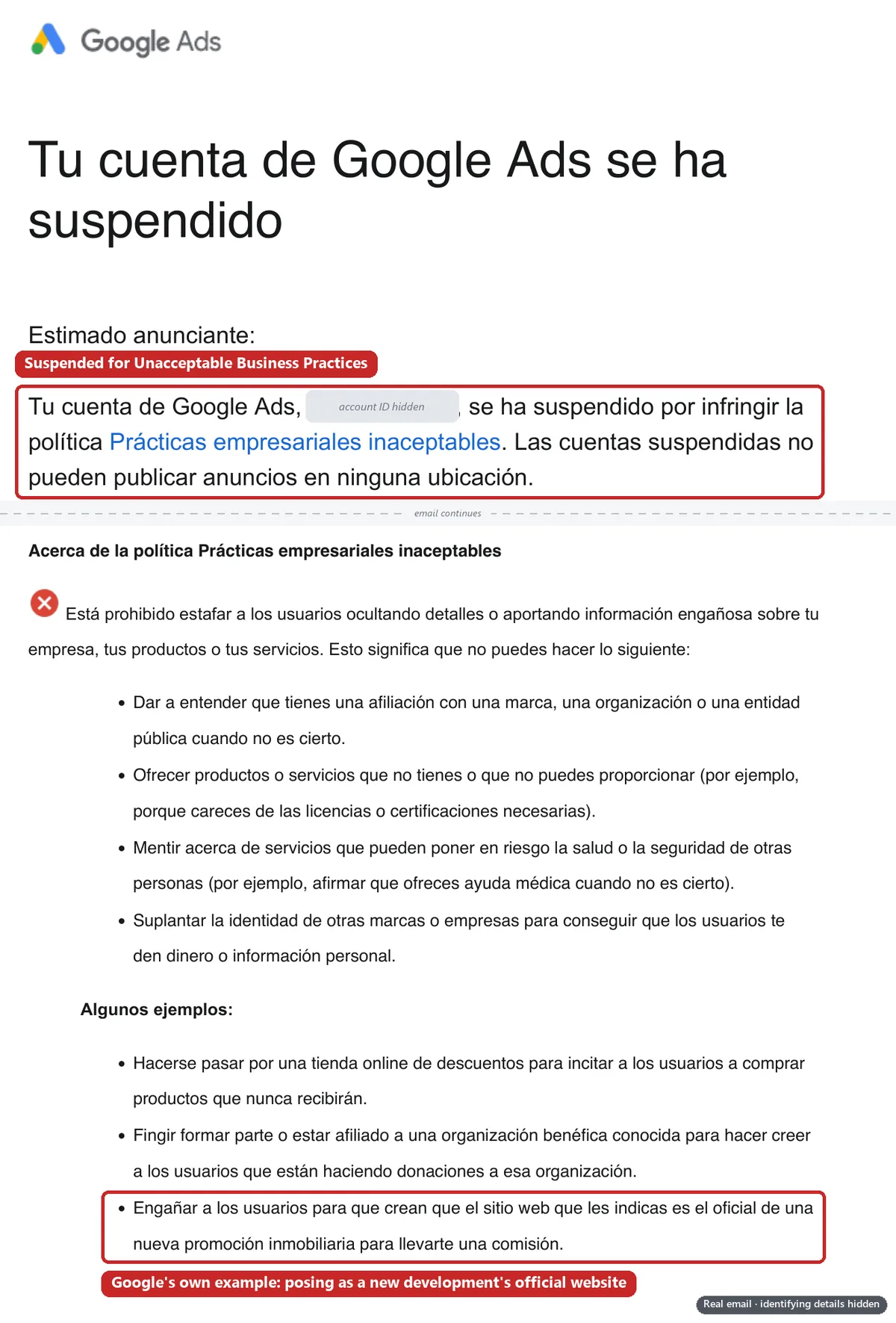
Google doesn’t say how its reviewers check a website. Its best practices, quoted in the checks below, are the nearest thing to a list: describe your business, use your own branding and be clear about partnerships. Its Misrepresentation policies add honest prices, honest claims and an accurate business name.
The case behind this checklist
On 25 July 2026, Google suspended the client’s account for Unacceptable Business Practices; its own email gave the reason. Two days later a second account was opened for the same advertiser, website and payer. It ran for five days and was suspended too. Our case study tells how it spread from there.
About 10 appeals were denied across the two accounts while most of the problems below stayed in place; the legal pages were only updated on 22 and 23 September. When we checked on 1 October, we found:
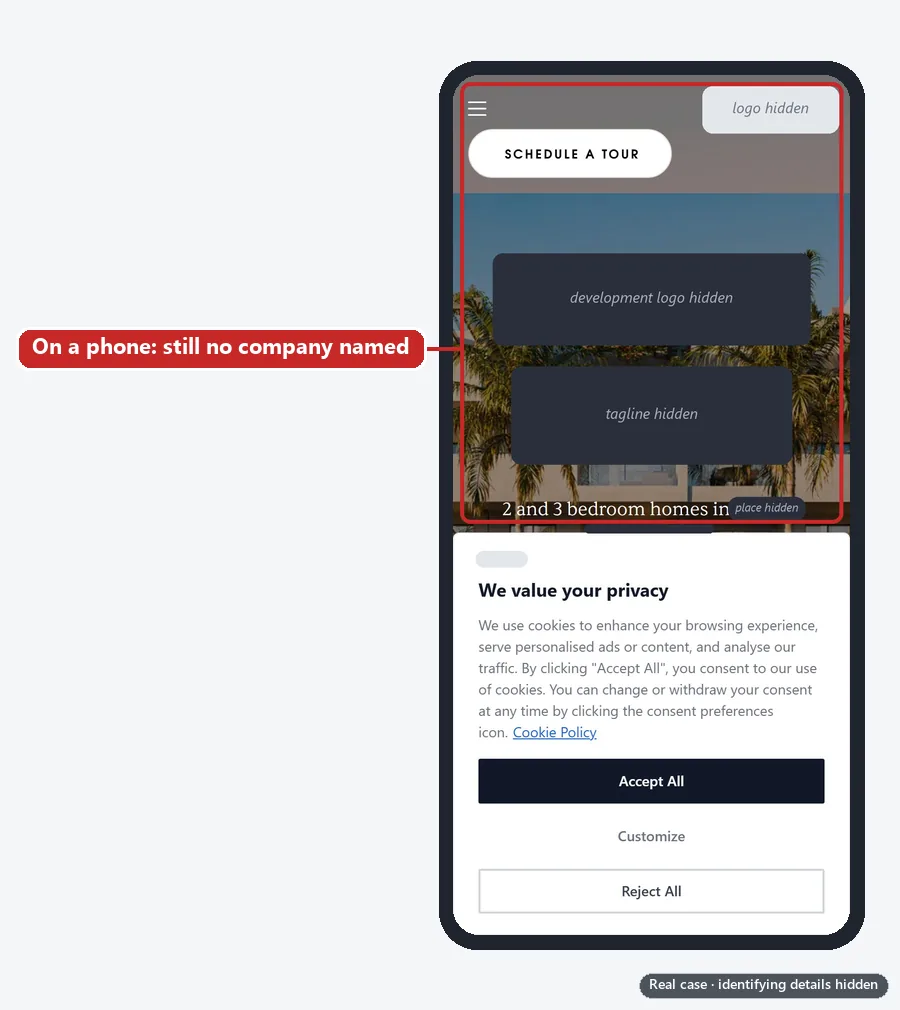
- no company named as the operator on any of its five homepages;
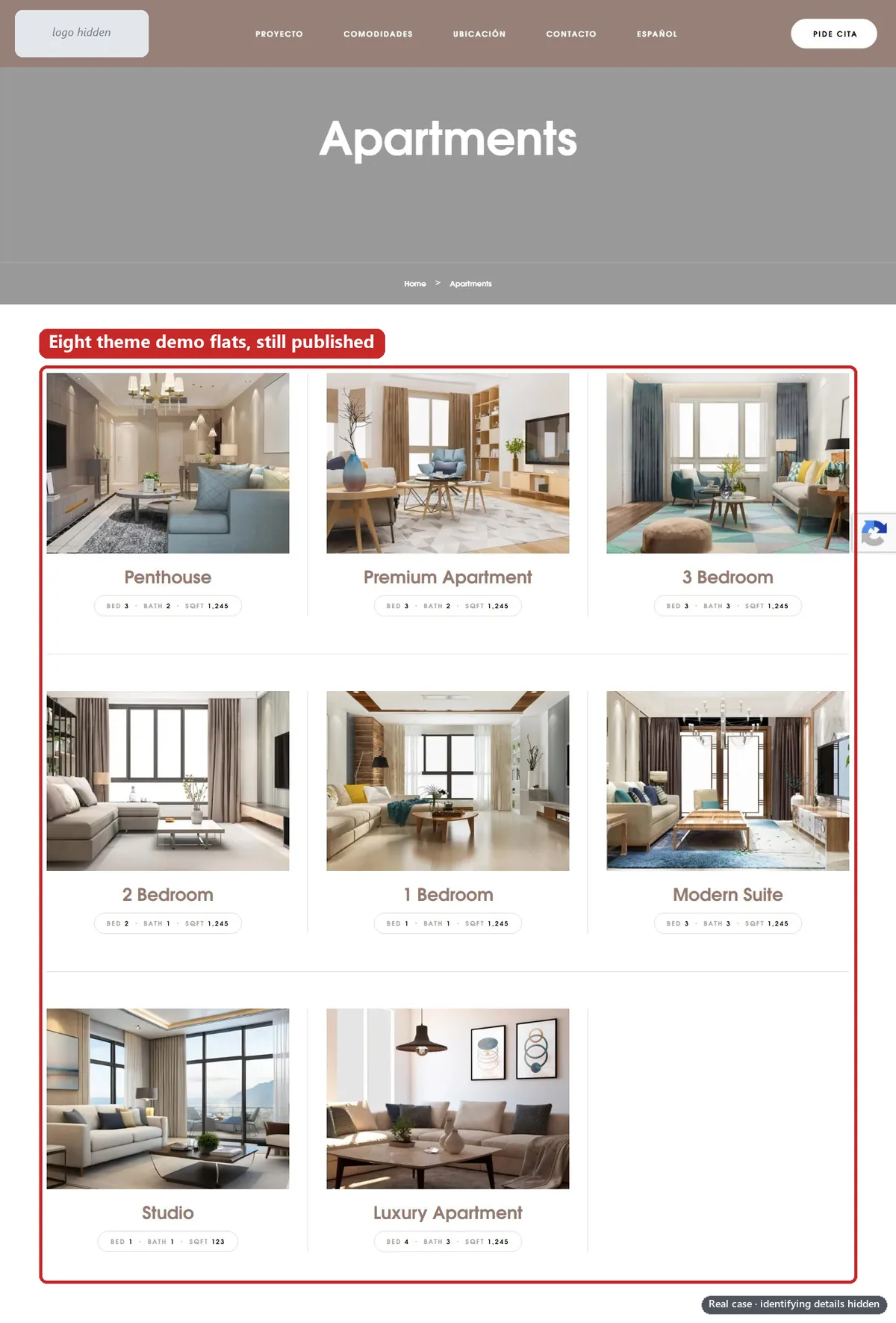
- eight demo flats from the website’s theme, including a “158 Sq Ft” penthouse with “Central Park and city views”;
- 11 demo blog posts, including WordPress’s “Hello world” sample;
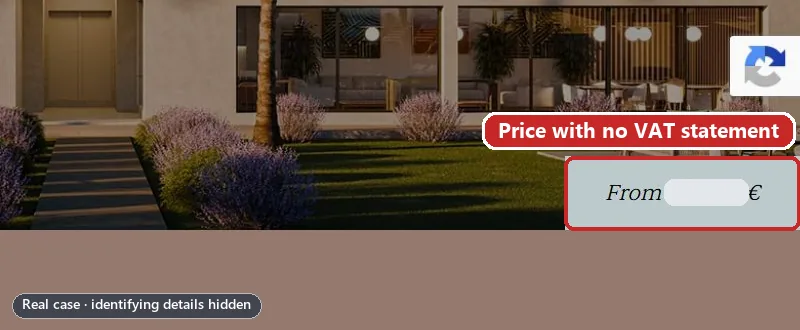
- a “from” price with no word on VAT;
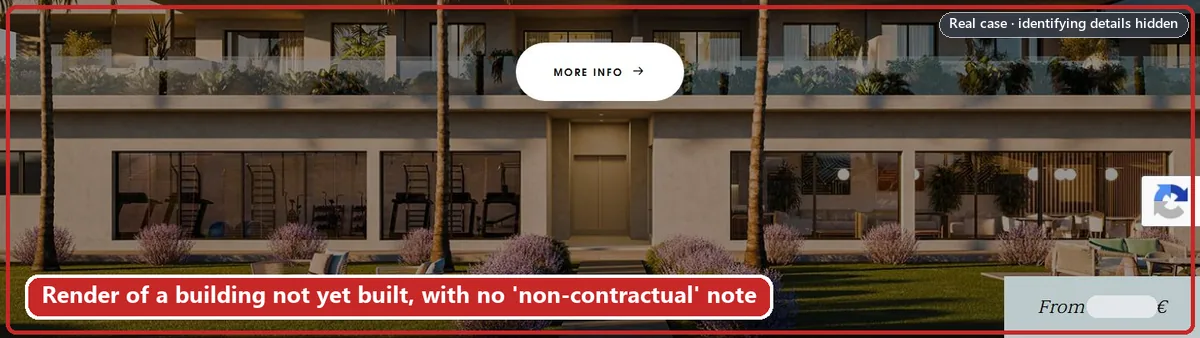
- renders of a building not yet built, with no “non-contractual” note;
- a broken “About us” link on the German landing page;
- off the site: no link from the developer group’s own website, which linked its other developments’ sales websites; a domain registered to the agency; and a brand owned by the developer company, not by the advertiser or the agency.
In our review, the development and the companies behind it are real, but a reviewer or a buyer could read each gap as a sign the site isn’t what it says it is.
Who runs this site?
1. Does every page say which company runs the site?
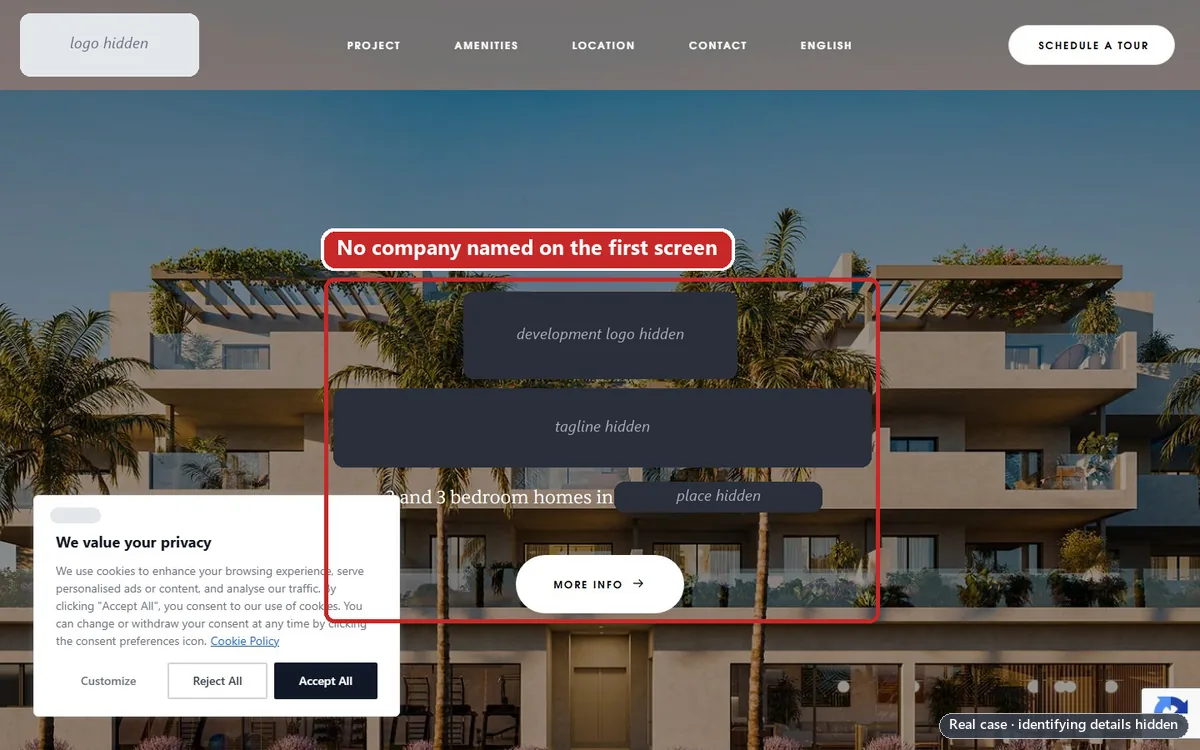
2. Is it the same name Google verified, everywhere?
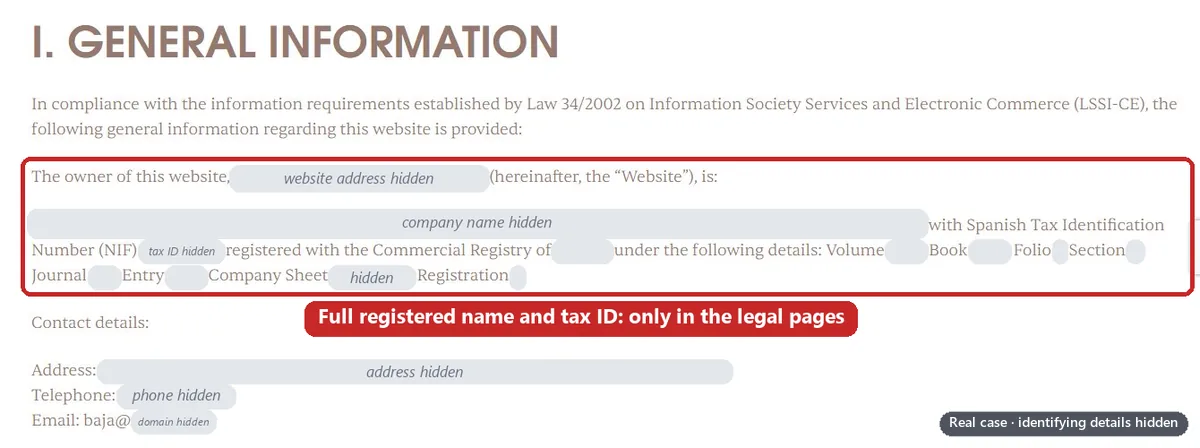
3. Is there an About page that says what you do?
4. Does your search data name the real company?
Who am I dealing with?
5. Does the site explain every company it names?
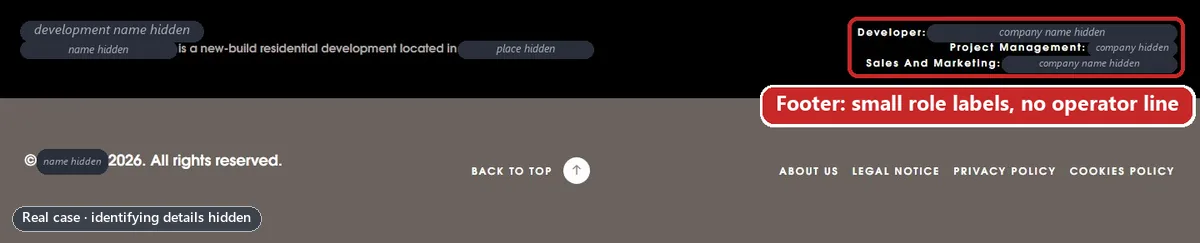
6. Can a buyer tell who they would pay?
Can I contact them?
7. Is there a phone number and an email that someone answers?

8. Does every button do what it says?
Are the products real and the claims honest?
9. Is everything on the site actually for sale?
10. Do prices say whether tax is included?
11. Are your images honest?
12. Do your numbers match your own published figures?

13. Does every translation say the same thing?
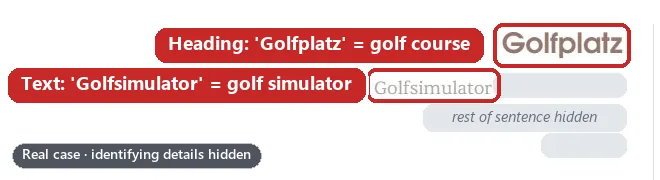
Is anything copied or templated?
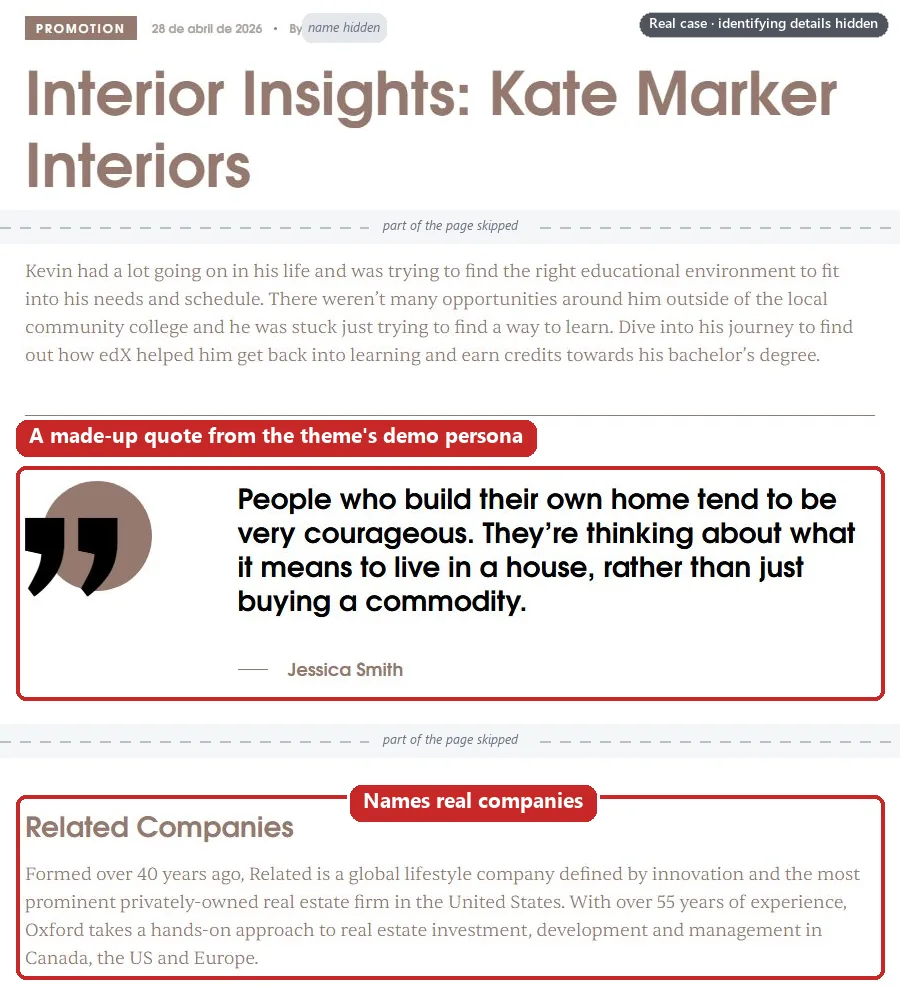
14. Is there any theme demo content left?
15. Does your sitemap list only real pages?
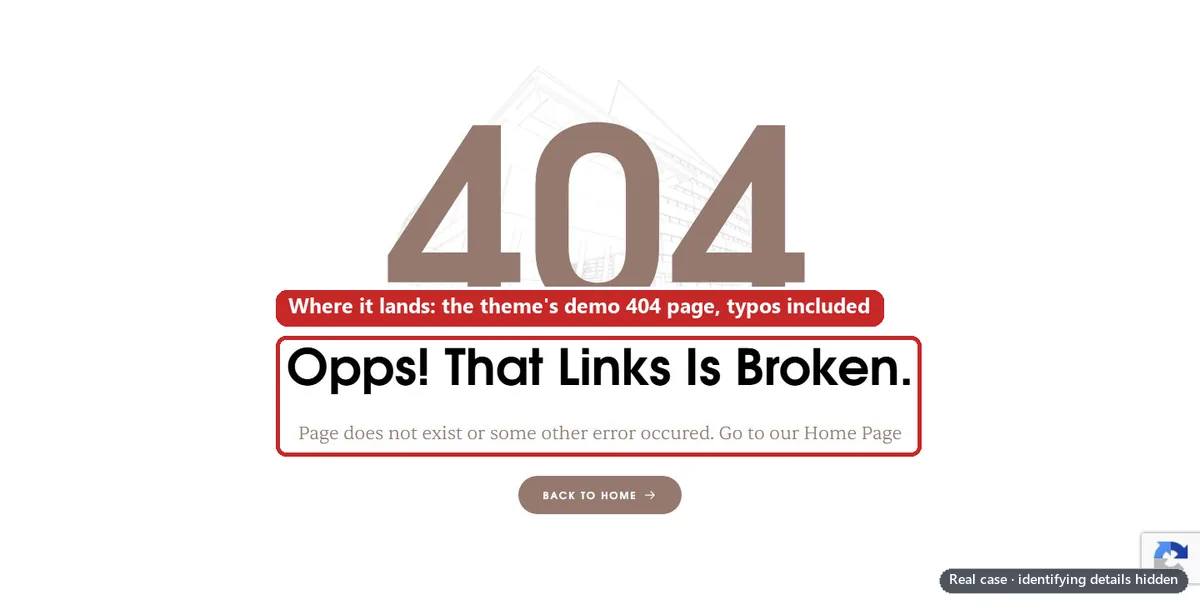
16. Is your error page your own?
Does the brand owner vouch for the site?
These three checks happen off your site: if the brand belongs to someone else, a reviewer can look for that company’s side of the story.
17. Does the brand owner link to your site?
18. Is the domain registered to the business that runs the site?
19. Do you own the brand you trade under, or have written permission?
Is the legal and privacy side complete?
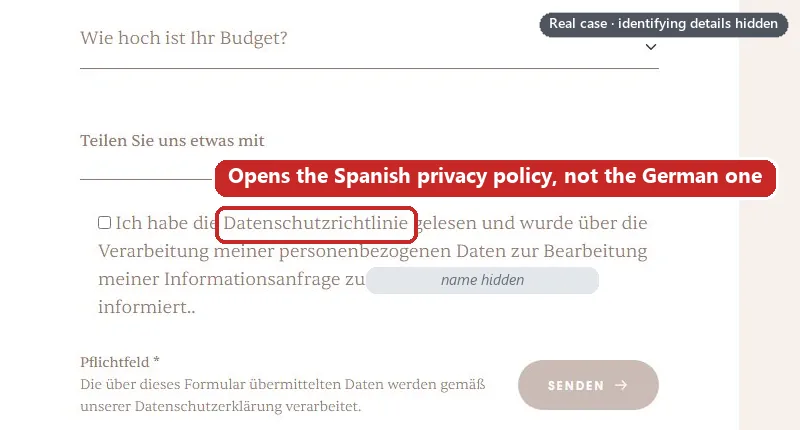
20. Do your forms link to a privacy policy the visitor can read?
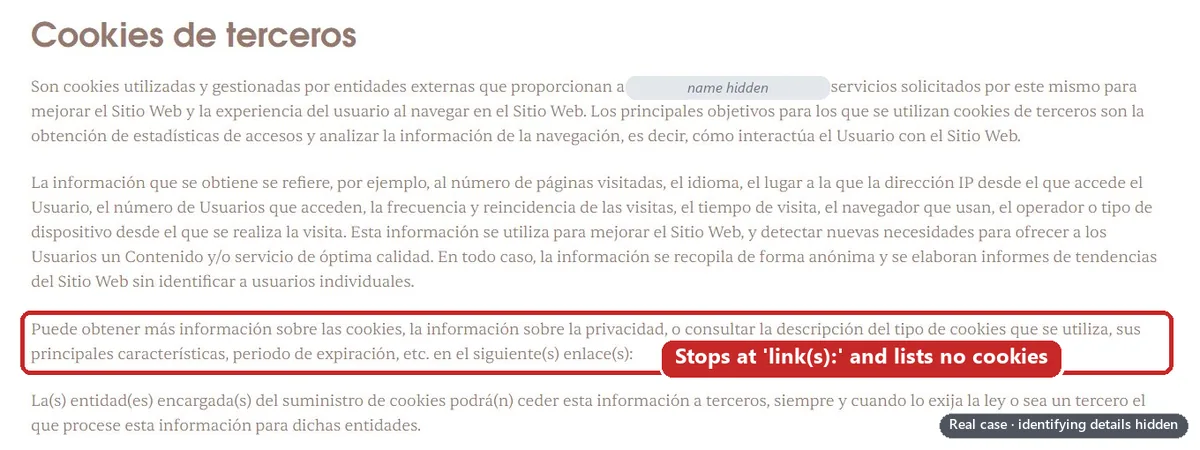
21. Does your cookie policy list the cookies you actually use?
Do the ad landing pages work in every language?
22. Does every footer link work, in every language?

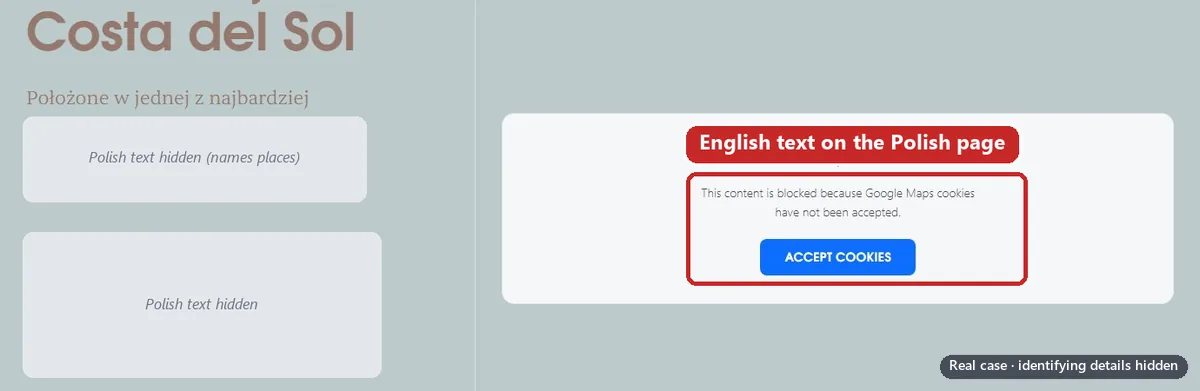
23. Is every landing page fully in its own language?
24. Does the landing page work for Google, and on a phone?
The checklist on one page
Copy it into a spreadsheet and tick each line in every language your ads use.
The 24 checks and what each one rests on
| Check | Basis |
|---|---|
| 1. Every page names the company that runs the site | Google best practice; UK and Spanish law |
| 2. The name matches the verified advertiser, everywhere | Google policy; verification help |
| 3. An About page says what you do | Google best practice |
| 4. Search data names the real company | Good practice |
| 5. Every company named is explained | Google policy; verification help |
| 6. A buyer can tell who they’d pay | Verification help; good practice |
| 7. A phone number and an answered email | Google best practice; UK and Spanish law |
| 8. Every button does what it says | Good practice |
| 9. Everything shown is really for sale | Google policy |
| 10. Prices say whether VAT is included | UK and Spanish law; Google policy |
| 11. Images are yours, and renders are labelled | Google policy and best practice |
| 12. Numbers match your own published figures | Google policy |
| 13. Every translation says the same thing | Google policy |
| 14. No theme demo content | Google policy; verification help |
| 15. The sitemap lists only real pages | Good practice |
| 16. The error page is your own | Good practice |
| 17. The brand owner links to your site | Google best practice |
| 18. The domain is registered to the business, or explained | Verification help |
| 19. You own the brand, or have written permission | Google best practice |
| 20. Forms link to a privacy policy in the visitor’s language | UK GDPR |
| 21. The cookie policy lists the cookies you use | UK and Spanish law |
| 22. Every footer link works in every language | Good practice |
| 23. Every landing page is fully in its own language | Good practice |
| 24. The landing page works for Google and on a phone | Destination requirements |
Run the whole check in one sitting
Do it before you change anything and again after the fixes, in every language your ads use.
Save what’s live today.
Screenshot every page your ads point to, dated: you may need to describe what was live when the account was suspended (our policy guide explains).
List every final URL.
One per language. Suspended accounts are read-only, but you can still navigate to any page and download reports.
Read the first screen as a stranger.
Private window, phone and computer. Checks 1 and 24.
Click every footer link.
Checks 1 to 3, 5 to 7 and 22.
Read every claim, in every language.
Prices, images, numbers, features. Checks 9 to 13 and 23.
Press every button and privacy link.
Checks 8, 20 and 21.
Read your sitemap and your search results.
Checks 9 and 14 to 16.
Check the company register.
Compare Companies House (or your country’s register) with your footer and verification. Checks 1, 2, 4 and 5.
Leave your own site.
Brand owner’s website, domain record, trade mark register. Checks 17 to 19.
Fix, then run it all again.
Screenshot each failure before and after.
When the site passes
Save the “after” screenshots.
The same pages, dated, plus each old demo address returning 404 or 410.
Check every related account’s website.
Google says: before appealing, ensure that all linked (or previously linked) and all related accounts comply with its policies. For an agency, that can mean every client’s site.
Gather the proof that lives off your site.
A letter from the brand owner, the domain record, permission to use the brand, your company registration. Our guides to ownership, relationships and brand association and appeal documents cover what to send, and what not to.
Get the fixed pages re-indexed.
A practice of ours, not a step Google documents: we get fixed pages re-indexed before the appeal goes in. Our guide to the suspension notice explains why.
Can every site be fixed?
No. This checklist helps a real business whose website doesn’t show it, not one that misrepresents itself on purpose.
In our experience, real Unacceptable Business Practices is a business actually misrepresenting itself: a product “advertised by Elon Musk”, or another public figure, when it isn’t (Google calls this public figure impersonation); or a health and wellness reseller advertising products for a margin while presenting itself as the brand, with an obvious connection between the branding, the name and the product. We’ve turned a case down because, in our director’s words, “they’re doing this on purpose”.
Our Unacceptable Business Practices service turns down accounts that are genuinely in violation, and accounts with a fatal flaw that makes them unredeemable, such as presenting another company’s business as your own, or advertising another company’s products with no agreement to show for it. If yours is one, we’ll tell you on the free call instead of taking your money.
Otherwise, Google says accounts are only reinstated in compelling circumstances, such as a mistake. A clean website guarantees nothing; only Google decides.
Don’t open a new account or payments profile to get round this.
On our case, a second account was opened two days later for the same advertiser, website and payer; it ran for five days, then was suspended too. Google says any new accounts that the advertiser tries to create may also be suspended, and its Circumventing Systems policy lists creating new accounts to re-enter the system after a suspension as a violation. Read why a new account makes things worse.
The appeal route
- Appeal from the suspended account. Select the Contact us link in the notification at the top of the account. Suspended accounts are in read-only mode, so the fixing happens on the website and the appeal describes it.
- One appeal at a time, once the site passes. Google’s first appeal tip for this policy is to implement the best practices. It says if you file too many appeals for the same account suspension, it may not process them, and you have at least six months from the date of account suspension to submit an appeal.
- Agencies: find the source account first. Start with our case study and the guides to related account suspensions, the identity reuse notice and Circumventing Systems.
Before you write it, read what the appeal form asks and why appeals get rejected.
Frequently asked questions
Does Google tell you what’s wrong with your website?
Not page by page. Google says the suspension email will identify all policies you were suspended for; it doesn’t say it names the page or the claim. It also says it may look at third-party sources, so check the whole site in every language, plus the brand owner’s website, your domain record and your registration.
Does my website need my registered company name and address?
Google’s best practice asks for updated contact information and a clear explanation of what your company does without listing fields. UK law lists them: a company’s websites must show its registered name and number, the part of the UK it’s registered in and its registered office (Trading Disclosures Regulations 2015, regs 24 and 25), and the E-Commerce Regulations 2002 add an email address.
We’re an authorised reseller or partner. What proof does Google want?
Google’s best practice is to ask them to mention you on their website as well as stating the relationship on your own. Its appeal tips list contracts, written agreements, a credible news article and public statements from the brand. Our guide to ownership, relationships and brand association covers the letter.
Should I fix the website before I appeal?
Yes. Google’s first appeal tip for this policy is to implement the best practices, and it may not process too many appeals for the same account suspension. In the case above, about 10 appeals were denied while most of the site’s problems stayed.
Does Google check who owns my domain?
Google doesn’t say it does. It says it may use third-party sources, and its verification help lists the domain owner, if different among the relationships to explain. We’d fix the record, or explain it in a signed letter, rather than hope nobody looks.
Can an agent or lead-generation site advertise a new property development?
Google’s published policy doesn’t say agents can’t. Its example is about pretending: tricking people into believing that you’re the official website for a new development so you can earn commission. Community forum replies have told property advertisers that only the developer can promote a development (one thread, another), calling it “an unpublished policy” and “all educated guesses”. If you’re the developer’s appointed agent, its website should say so (see property development websites).














